

 4.9 (400+
reviews)
4.9 (400+
reviews)
PracticeWorks X Emitrr Integration
Connect PracticeWorks with Emitrr to help your front desk manage patient calls and texts without juggling multiple systems. Automate reminders and follow-ups, keep patient contact details in sync, and give staff the information they need during every scheduling call.

Planning to integrate Emitrr with PracticeWorks? Review a quick checklist to understand what’s required before integration.
Why Connect Practiceworks with Emitrr?

Fewer Missed Calls During Busy Hours
When call volume spikes, patient calls and messages are captured and organized in one place, reducing missed scheduling opportunities.

Less Phone Tag With Patients
Automated texts for confirmations, reminders, and follow-ups reduce repeated outbound calls and voicemail back-and-forth.

Lower Front Desk Workload
Routine communication runs automatically, so staff spend less time repeating the same tasks throughout the day.

Clear Record of What Was Communicated
Calls, texts, reminders, and follow-ups are all visible in one place, helping teams avoid confusion and duplicate outreach.
Features You Get With the Practiceworks + Emitrr Integration
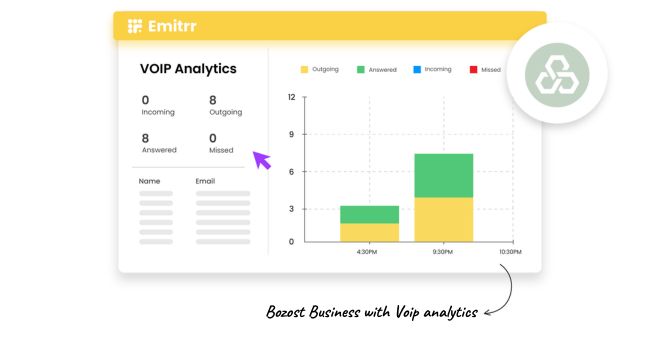
VoIP Calling With Patient Details

Make and receive calls using Emitrr’s VoIP system
Call pop shows patient details during incoming scheduling calls
View patient history while speaking to callers
Reduce hold time and repeated questions
Two-Way Patient Texting Connected to PracticeWorks
Send and receive patient texts using your existing clinic number
Two-way SMS conversations linked to PracticeWorks patient records
Full message history available for reference
Patient opt-in and consent maintained

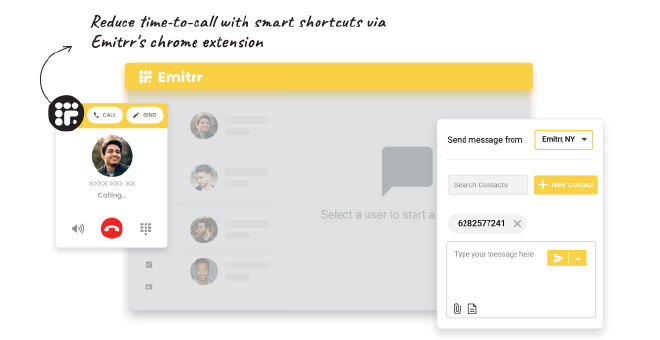
Click-to-Text & Chrome Extension
Click-to-text directly from PracticeWorks or web-based tools
Send texts from any phone number using the Chrome extension
Reduce manual dialing and copy-pasting
Schedule-Based Patient Texting
Schedule-based messages sent automatically
Appointment-related updates without manual effort
Consistent timing across patient communication
Fewer reminder calls for the front desk

Key Use Cases Across Teams
Front Desk Team
Clinical Staff
Practice Owners & Managers
Frequently Asked Questions
Ready to Integrate Emitrr with PracticeWorks?
Bring patient texting and calling into one connected workflow and reduce the daily load on your front desk without changing how your practice operates.