

Introduction
How businesses communicate in today’s market is vastly different from that of even just a few years ago. What we’d previously used for secure messaging, delivering faxes, or sending transactional email and pushes is now a means of intelligent, two-way engagement. Nowadays, companies are looking for communication tools that can help them move beyond just streamlining processes and allowing two-way conversations.
PanTerra has been providing business-class Unified Communications as a Service (UCaaS ). Famous for its “WorldSmart” system and super secure (and HIPAA-compliant) posture (SentraCloud), many organizations have relied on it for HIPAA-compliant cloud PBX and file sharing. But today’s companies need more than a secure “messaging pipe.” They require security, automation, AI integration, omnichannel engagement, and usability, all from a single platform. It is for this reason that a lot of companies seek a PanTerra alternative, a PanTerra replacement, or solutions similar to PanTerra but more flexible.
This blog reviews the top 10 PanTerra competitor options and provides insight into companies that are pairing enterprise-grade security with modern automation, clear-cut pricing, and rapid deployment—many of which are better than PanTerra for today’s operational needs.
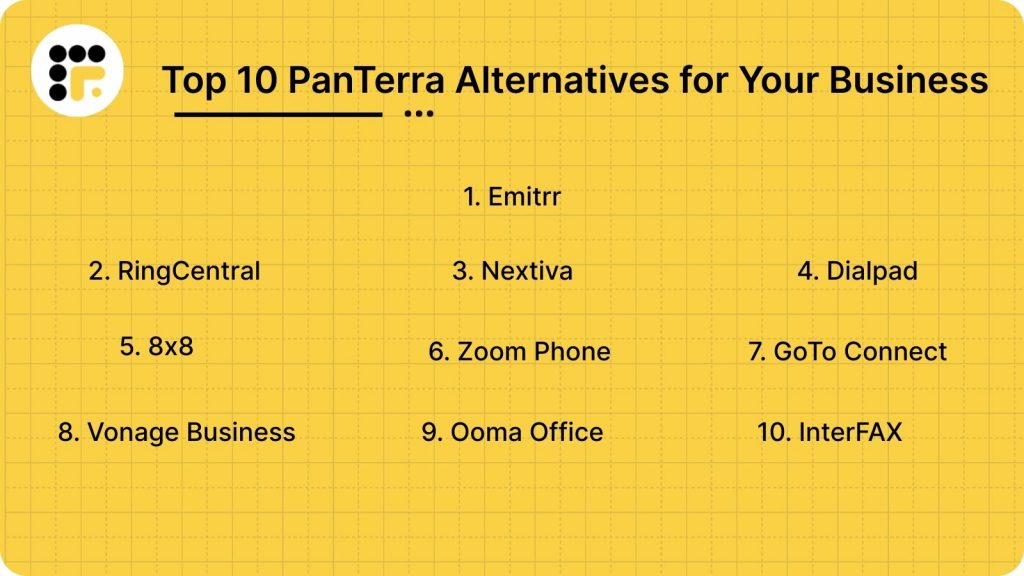
AI Summary
PanTerra has built a solid reputation as a unified communications (UCaaS) provider offering VoIP, video conferencing, messaging, and contact center solutions under one roof. However, many businesses in 2026 are actively searching for a PanTerra Alternative due to pricing complexity, limited AI automation, and scalability constraints. In this guide, we review the top 10 PanTerra competitors that offer stronger automation, clearer pricing, better integrations, and modern omnichannel engagement. Whether you’re looking for a PanTerra replacement, a solution similar to PanTerra, or something better than PanTerra for growth-stage operations, this guide will help you make an informed decision.
What is PanTerra?
PanTerra (PanTerra Networks) is a cloud-based services provider based in the U.S. offering information logistics and UCaaS worldwide. It provides a portfolio of cloud-based services, such as unified communications (UC), team collaboration, contact center, and enterprise API in order to provide enhanced connected experiences for any website or application. Their flagship product, WorldSmart, is designed to replace legacy on-premises hardware with a unified cloud environment.
PanTerra is well established in the most heavily regulated sectors, including healthcare, finance, insurance, and logistics, and is known for its “ultra-secure” infrastructure, HIPAA compliance, and multi-layered security protocols.
PanTerra Features:
- WorldSmart UCaaS: An enterprise-class cloud PBX and unified messaging solution.
- SmartBox: A Secure file sharing and sync service that is HIPAA compliant.
- Call Center Features: Sophisticated queuing, monitoring, and reporting for service teams.
- Audit Trails: Comprehensive logs for all communication and file access, with legal peace of mind.
- SentraCloud: A private cloud especially for the needs of enterprises with the highest security requirements.
- Omnichannel Support: Combine voice, video, text, and chat in a single interface.
PanTerra Pros:
- Top-Tier Security: Their “SentraCloud” provides a level of data residency and security that is a good bet for banks and hospitals.
- Worldwide Infrastructure: They operate a carrier-grade network to deliver global voice and messaging.
- One-Stop Logic: They want to consolidate everything, from file sharing to phone lines, in one vendor relationship.
- Stable Performance: Proven high uptime and excellent voice quality.
PanTerra Cons:
- Opaque Pricing: PanTerra pricing is not quoted on their website. It is almost entirely quote-based, slowing the rate at which businesses are able to make a purchase.
- High PanTerra Cost: The coverage cost for the entire PanTerra may be too much for small and medium-sized businesses (SMBs), particularly if they want to add on security or file storage.
- UI is Complicated: The admin dashboards and workflows often feel “legacy” and can be too technical for non-IT personnel to manage.
PanTerra Pricing:
As mentioned, PanTerra pricing is highly customized. It generally follows an enterprise-premium model where the final PanTerra cost depends on:
- Seat Count: Total number of users across the organization.
- Storage Requirements: How much data is stored in SmartBox?
- Compliance Add-ons: Costs for dedicated HIPAA-compliant or private cloud instances.
PanTerra Integrations:
- CRM Systems: There are simple integrations for Salesforce and Microsoft Dynamics with PantTerra.
- Productivity Suites: Microsoft 365 and Google Workspace integration.
- APIs: Provides a REST API, which is not considered “developer-friendly” compared with the young ones.
- SSO: Integrates with standard identity management protocols for secure access.
PanTerra Support Channels:
- High Support: PanTerra Support includes 24/7 phone access for critical issues.
- Account Managers: Dedicated support for enterprise-level tiers.
- Support Portal: A ticket-based system for general inquiries.
- Knowledge Base: Documentation is available, though often described as dense and technical.
PanTerra Ratings:
4.1/5
PanTerra Reviews
“Reliable system with good uptime, but setup required IT involvement.”
“Feature-rich, but pricing was not clear upfront.”
Source: G2
Why Do Businesses Seek a PanTerra Alternative?
Cost Efficiency
With the current economic situation, businesses are more aware of their communication spend than ever. For pricing, PanTerra must match actual usage, but once customers get on the SmartBox storage or have an enterprise feature locked in that they don’t use, users end up paying for the University Library.
Rapid Deployment
In the high-paced world of 2026, time is precious. Organizations demand that their PanTerra replacement be implemented in days, not months. Long lead times result in lost productivity and a business slowdown.
AI & Conversational Engagement
Enterprises now require AI-driven conversational engagements. PanTerra is primarily a “push” system; businesses now want “intelligent” systems that can handle FAQs and missed calls automatically.
Transparency & Ease of Use
Businesses are eschewing “call for a quote” models. They prefer transparent pricing. In addition, middle market companies don’t want systems for which they have to ask an office manager to call the “IT guy” so they can work through it.
Transparency & Ease of Use
Businesses are moving away from “call for a quote” models. They prefer transparent pricing. In addition, middle market companies don’t want systems for which they have to ask an office manager to call the “IT guy” so they can work through it.
What Features to Look for in a PanTerra Alternative?
Multi-Channel Communication
Select a solution that enables SMS, voice, email, and fax on one dashboard, so your team doesn’t have to toggle between various systems.
Automation & AI
Search for smart features such as auto-responders, intelligent routing, and AI voice agents that reduce manual effort and increase response times.
Compliance Readiness
Verify that the platform has native support for HIPAA, GDPR, and audit logs for data security and regulatory compliance.
Flexibility of Integration
The system should be able to integrate with CRMs such as Salesforce or HubSpot so that communication data is passed through automatically rather than needing manual input.
Mobile Accessibility
A robust mobile app lets your team handle calls, texts, and faxes from anywhere, making them even more responsive and flexible.
10 Best PanTerra Alternatives in 2026
1. Emitrr
Overview:
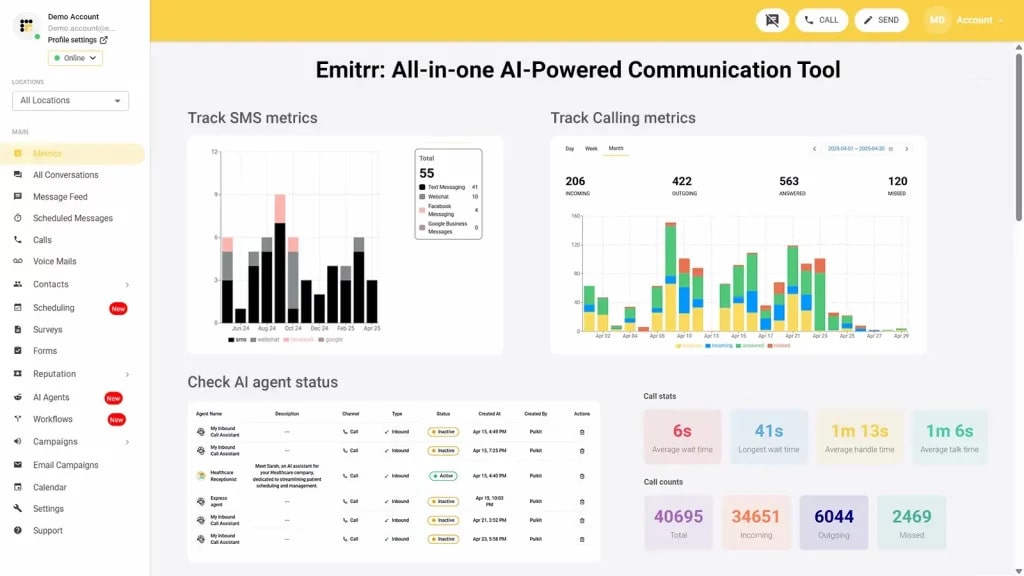
Emitrr is the best PanTerra alternative for businesses that want to upgrade from a “messaging pipe” to an “engagement engine.” Whereas PanTerra unlocks the potential of Unified Communication as a Service (UCaaS), Emitrr is an AI-powered platform that merges two-way SMS, digital faxing, and voice calling into one simplified interface. It is designed for sectors such as healthcare and professional services, where strong security is a must, but with the need for more rapid deployment and intelligent automation.
Emitrr Key Features:
- AI Voice & SMS Agents: Automatically call back missed calls, book appointments, and respond to FAQs all without human intervention.
- Digital Fax Service: Secure, encrypted inbound and outbound consistent with HIPAA faxing via the web, email, or mobile app.
- Two-Way Texting: Super-fast SMS/MMS for instant customer and team communication.
- Missed Call Text-Back: Immediately sends an SMS response to callers when lines are occupied, collecting leads before they head over to the competition.
- Consolidated Inbox: Organizes all SMS, Voice, and Fax in one view to eliminate data silos.
Emitrr Pros:
- Platform for all engagement (SMS, Voice and Fax) in one.
- Plug-and-play onboarding; teams are often live in 24–48 hours.
- Superhuman AI automation, like having your own “digital staff.”
- Pricing is transparent and predictable, with no hidden per-page or time-based costs.
Emitrr Cons:
- Some of the advanced features are still in process and will be live soon.
Emitrr Pricing:
- Standard: ~$25/month.
- Professional: ~$35/month.
Note: Flat-fee tier pricing tends to have generous included-use tiers.
Emitrr Integrations:
Salesforce, HubSpot, AthenaHealth, Denticon, Mailchimp and Zapier.
Emitrr Support Channels:
24/7 Chat, Email, Phone, and Knowledgeable Video Helpdesk.
Emitrr Ratings:
4.8/5
Emitrr Reviews:
“The easiest transition we’ve ever made. The AI features saved our front desk 10 hours a week in scheduling.”
“Unlike PanTerra, we didn’t need an IT degree to set this up. It’s the best PanTerra alternative for growth.”
Source: G2
2. RingCentral
Overview:
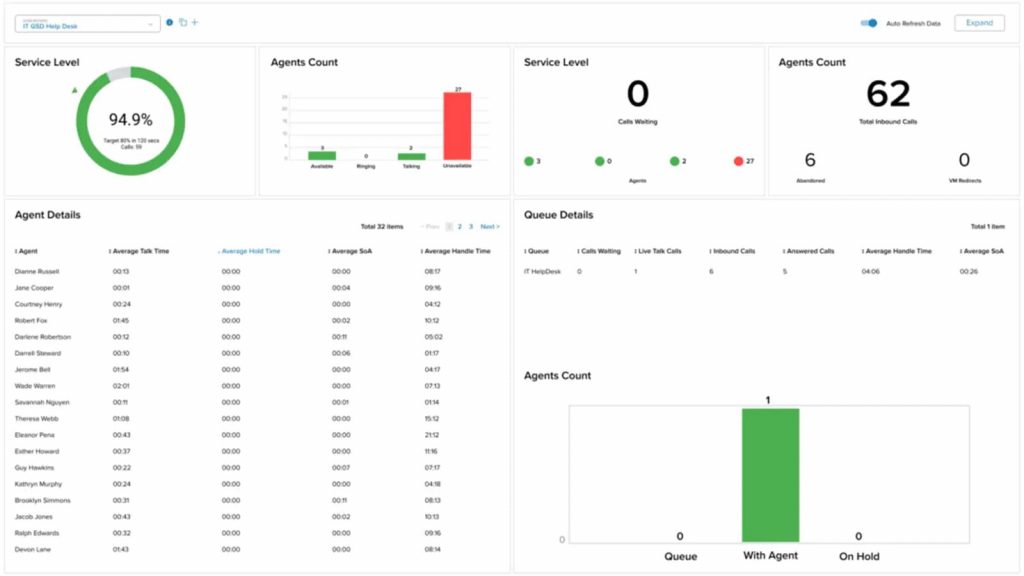
One of the big PanTerra competitors you may have heard of is RingCentral, a huge company that delivers its complete unified communications suite for global enterprises. It combines video, voice, SMS, and fax on one platform with industry-leading reliability. Its global support and deep functionality mean that Intercom is the powerhouse for larger organizations with thousands of users, although it’s more complex to set up than Emitrr.
RingCentral Key Features:
- Globally PSTN Coverage: Localized phone numbers/services in 45+ countries.
- AI Call Summaries: Notes automatically from every call, action items, and summaries.
- Multi-Site Management: Control access and routing rules from a centralized admin portal for global offices.
- Enterprise Video: One-to-one, HD video conferencing for and with up to 200 participants with screen sharing or whiteboarding.
RingCentral Pros:
- 99.999% Uptime Unmatched & Carrier Grade Security
- A library of 300+ ready-made app integrations.
- Top-notch analytics and reporting for call centers
RingCentral Cons:
- Not for non-technical people, the UI can be a little heavy and overwhelming.
- For a large-scale migration, it takes weeks to implement.
RingCentral Pricing:
RingCentral pricing offers a range of business communication plans:
- Essentials: Starting at $19.99 per user/month (limited to 20 users)
- Standard: Starting at $27.99 per user/month
- Premium: Starting at $34.99 per user/month
- Ultimate: Starting at $49.99 per user/month
RingCentral Integrations:
Microsoft 365, Google Workspace, Salesforce, Slack, and ServiceNow.
RingCentral Support Channels:
Phone Support 24/7, live chat with our AI Chatbot, Community Forum & dedicated account managers.
RingCentral Ratings:
4.0/5
RingCentral Reviews:
“The most reliable platform for our 2,000 users, but support wait times can be frustratingly long.”
“Perfect for international teams, though the admin dashboard is quite complex.”
Source: G2
3. Nextiva
Overview:
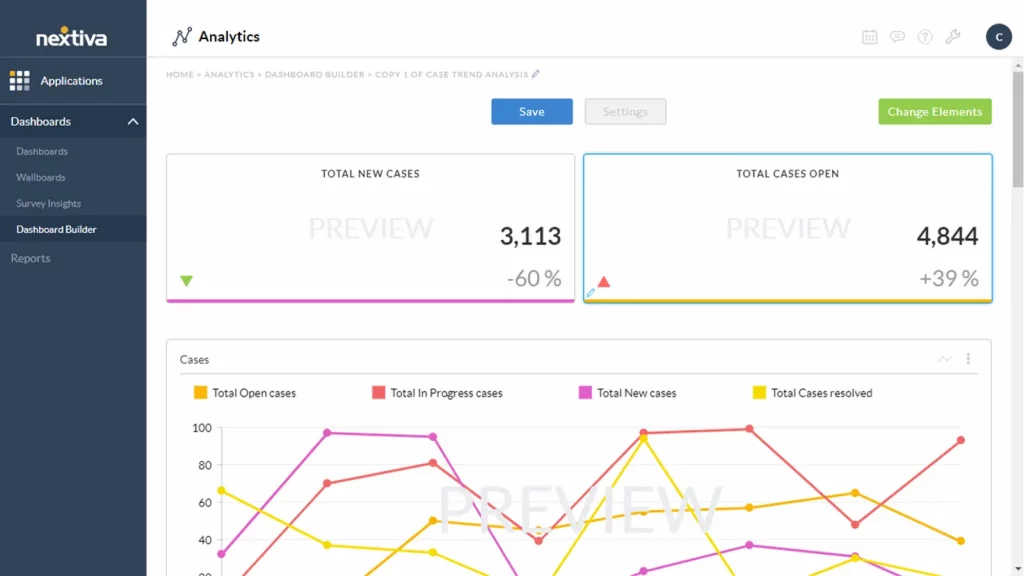
A strong PanTerra alternative for mid-market businesses that are more focused on customer service than anything else. Their NextivaONE app threads a single conversation for every customer and brings in SMS, emails, and calls. It’s built for businesses that want an easy-to-use platform with a dedicated human support team to guide them through the process.
Nextiva Key Features:
- Threaded Conversations: See all interactions with a customer (calls, texts, emails) in one chronological timeline.
- Nextiva Co-Pilot: In-call AI that can give real-time tips and data to agents during live calls.
- Integrated CRM: Native customer relationship tool for businesses that prefer not to have a separate third-party CRM.
- Enterprise-Scale Fax: Cloud faxing at high volumes, no hardware needed.
Nextiva Pros:
- Voted best for customer support consistently.
- Very fast setup (normally 30 minutes maximum).
- Intuitive user interface requiring little training.
Nextiva Cons:
- Mobile apps might be slow during high volume times.
- The most sophisticated AI features are gated to higher pricing tiers.
Nextiva Pricing:
There are four Nextiva pricing options available:
- Essential – Starting at $23.95 per user/month
- Professional – Starting at $27.95 per user/month
- Enterprise – Starting at $37.95 per user/month
- Ultimate – Starting at $67.95 per user/month
Nextiva Integrations:
HubSpot, Salesforce, Microsoft Outlook, Zendesk.
Nextiva Support Channels:
Phone, Live Chat, Email, and a dedicated Customer Success Manager for large accounts.
Nextiva Ratings:
4.4/5
Nextiva Reviews:
“Nextiva’s support is actually human. They walked us through our entire setup without any hiccups.”
“The unified view of texts and calls is brilliant. It’s better than PanTerra for our sales team.”
Source: Capterra
4. Dialpad
Overview:
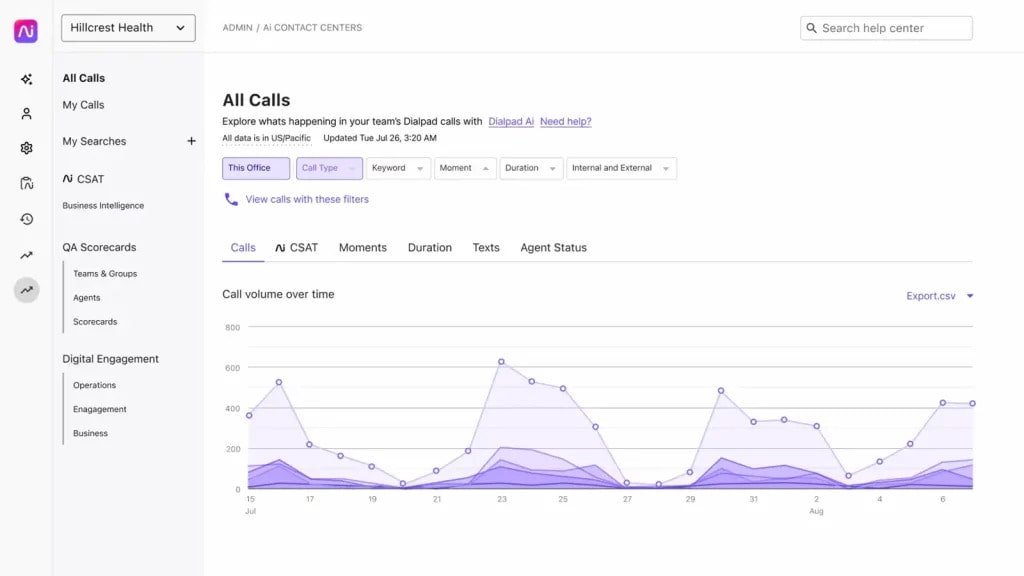
Dialpad is the youngest PanTerra competitor on this list, building “Voice Intelligence” (Vi) into the DNA of its platform since before day one. Its emphasis is on leveraging AI to transcribe calls in real time, perform sentiment analysis, and provide agent coaching. It’s a perfect alternative to PanTerra for tech-savvy companies that want data-driven insight from every conversation.
Dialpad Key Features:
- Voice Intelligence (Vi): It includes real-time transcription, auto-generated notes, and identification of important topics.
- AI CSAT: AI analysis for 100% of calls and Customer satisfaction.
- AI-enabled Omnichannel Contact Center: Handle voice, digital, and social channels in one place.
- Worldwide Calling: Local numbers available around the world with high-quality VoIP.
Dialpad Pros:
- The most advanced UCaaS AI analytics.
- With a very clean and modern UI, it supports all kinds of devices.
- Simple to scale, inviting a new user is just seconds away.
Dialpad Cons:
- Advanced AI reporting can get pricey for an extremely small team.
- This transcription engine only works well with an excellent internet connection.
Dialpad Pricing:
There are three Dialpad pricing options available:
- Standard: ~$15/user/month.
- Pro: ~$25/user/month.
- Enterprise: Custom Quote.
Dialpad Integrations:
Salesforce, Google Workspace, Microsoft Teams and Slack.
Dialpad Support Channels:
Live Chat and Online Knowledge Base (24/7), Phone for Pro/Enterprise
Dialpad Ratings:
4.4/5
Dialpad Reviews:
“The transcription is scarily accurate. It makes follow-ups so much faster.”
“A truly modern PanTerra replacement. It feels like it was built in 2026, not 2006.”
Source: G2
5. 8×8
Overview:
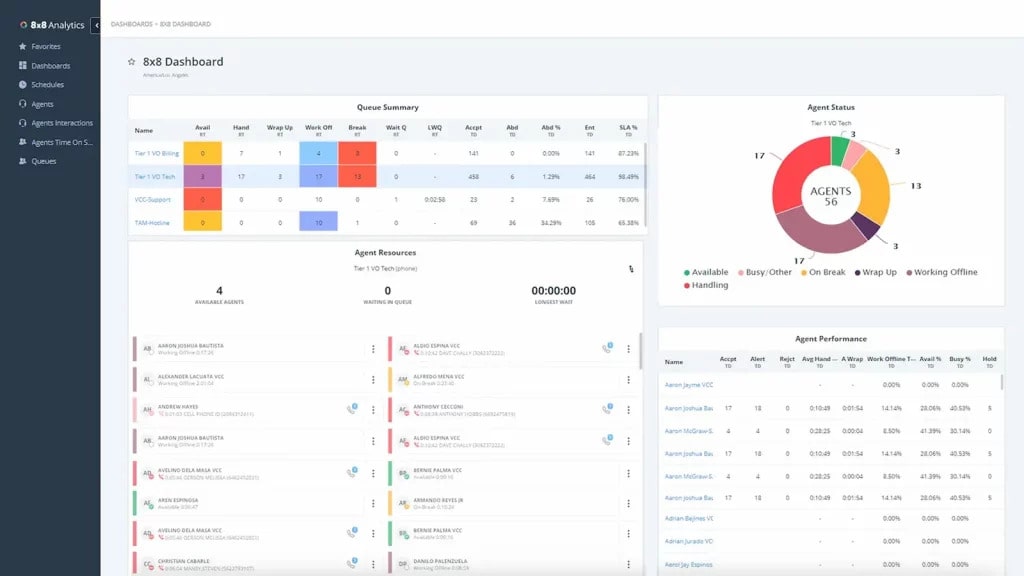
With their worldwide presence, 8×8 is a direct PanTerra competitor for businesses needing to manage large international footprints. Also, it delivers voice, video, chat, and contact center on a single platform with a strong focus on international calling plans. For businesses needing unlimited calling to dozens of countries, without fluctuating toll charges from one month to the next, it is superior to PanTerra.
8×8 Key Features:
- International Calling: Now talk to 48 countries without limits.
- Integrated Contact Center: UCaaS and CCaaS (Contact Center as a Service) are merged.
- HD Video Conferencing: High-definition video conferencing for up to 500 attendees with powerful moderation features.
- Deep Analytics: Ensure complete visibility into call quality and employee productivity
8×8 Pros:
- Ideal for organizations that have a lot of international communications.
- Standard business phones and complex contact centers from a single vendor.
- Highly reliable global network.
8×8 Cons:
- The admin dashboard can be clunky and difficult to navigate.
- Support response time for non-enterprise tiers can be slow.
8×8 Pricing:
8×8 pricing consists of the following plans:
- X2: ~$15/user/month.
- X4: ~$24/user/month.
- X6 (Contact Center): Custom Quote.
8×8 Integrations:
Microsoft Teams, Salesforce, Zendesk, and NetSuite.
8×8 Support Channels:
Ticketing (web) and 24/7 Phone Support.
8×8 Ratings:
4.1/5
8×8 Reviews:
“The international calling plans saved us thousands. It’s the most cost-effective PanTerra alternative for us.”
“Great features, but the backend settings can be a nightmare to configure.”
Source: Capterra

6. Zoom Phone

Overview:
A cloud phone system packed with features that build on the same interface users know from Zoom Video. If your business is already using Zoom for meetings and you want to have your phone system under the same vendor, it’s a terrific PanTerra alternative. It’s quick, predictable, and super scalable.”
Zoom Phone Key Features:
- Elevate to Meeting: With a single click, you can instantly elevate a phone call into a full Zoom video meeting.
- Nomadic E911: Automatically determines the user’s location and routes calls to the local emergency service.
- Global Provisioning: Ship and configure physical desk phones for remote employees in the cloud.
- Call Delegation: Enables assistants to easily manage calls on behalf of executives.
Zoom Phone Pros:
- Practically no learning curve for seasoned Zoom users.
- Transparent, low-cost pricing models.
- Unifies video and voice in one app.
Zoom Phone Cons:
- Offers less advanced file storage and HIPAA-compliant “box” functions than PanTerra.
- Deep phone-specific features are not as deep as specialized PBX providers.
Zoom Phone Pricing:
Zoom pricing offers several plans to suit various needs:
- Pay-as-you-go: ~$10/user/month.
- Unlimited Regional: ~$15/user/month.
- Pro Global Select: ~$20/user/month.
Zoom Phone Integrations:
Salesforce, Slack, Microsoft Teams, and ServiceNow.
Zoom Phone Support Channels:
24/7 Phone (for higher tiers), Ticket System, and Community Forum.
Zoom Phone Ratings:
4.5/5
Zoom Phone Reviews:
“We moved from PanTerra to Zoom Phone in a weekend. Our staff didn’t even need training.”
“Simple, effective, and cheap. It’s exactly what a modern PanTerra replacement should be.”
Source: G2
7. GoTo Connect
Overview:
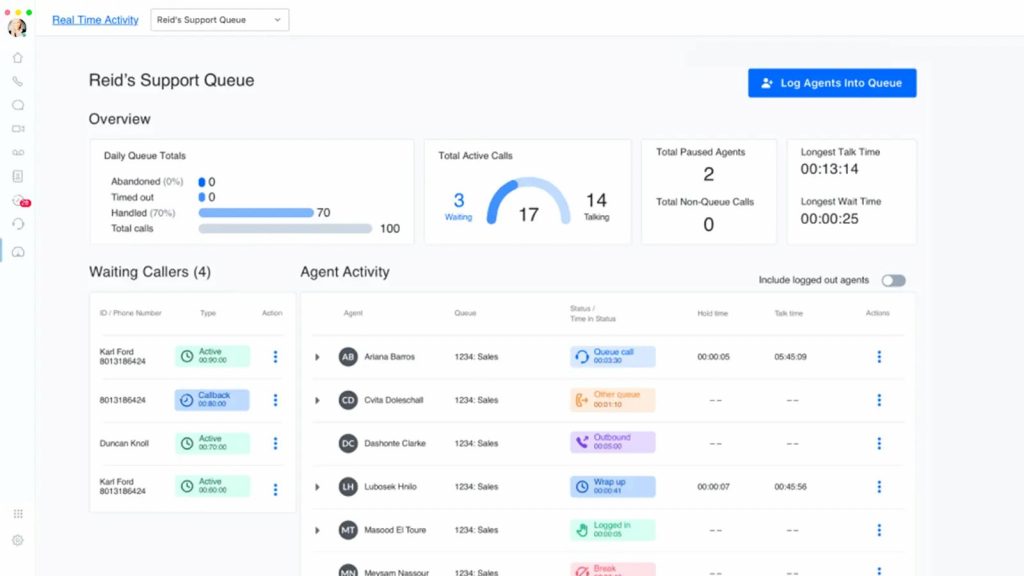
GoTo Connect (formerly Jive) is a cloud-based communication platform that is similar to PanTerra in its focus on reliability but better than PanTerra when it comes to visual management. These offices can use their drag-and-drop dial plan editor to visualize exactly how a call moves through the system.
GoTo Connect Key Features:
- Visual Dial Plan Editor: Graphical interface for outlining call routing, auto-attendants, and wait times
- Hot Desking: Enables employees to log in to any physical phone at any office and have it function like their own.
- Remote Team Management: Visibility of staff call engagements or availability in real time.
- Multi-Ring/Find Me Follow Me: Places simultaneous calls to several devices to ensure that no call is missed.
GoTo Connect Pros:
- Simple to configure and manage, even for complex call routing without IT implementation.
- Highly reliable “GoTo” infrastructure.
- Very useful mobile app for those who work in a hybrid environment.
GoTo Connect Cons:
- The reporting features are not as detailed as RingCentral or 8×8.
- It can take longer than usual to port your number over initially.
GoTo Connect Pricing:
GoTo Connect pricing offers the following plans:
- Basic: ~$24/user/month.
- Standard: ~$29/user/month.
- Premium: ~$39/user/month.
GoTo Connect Integrations:
Microsoft Teams, Slack, Salesforce & Zoho
GoTo Connect Support Channels:
Phone, Email, and Help Center 24 х 7
GoTo Connect Ratings:
4.2/5
GoTo Connect Reviews:
“The visual editor is a lifesaver. I can change our holiday routing in 30 seconds.”
“A solid PanTerra competitor that is much easier for our office manager to handle.”
Source: Capterra
8. Vonage Business
Overview:
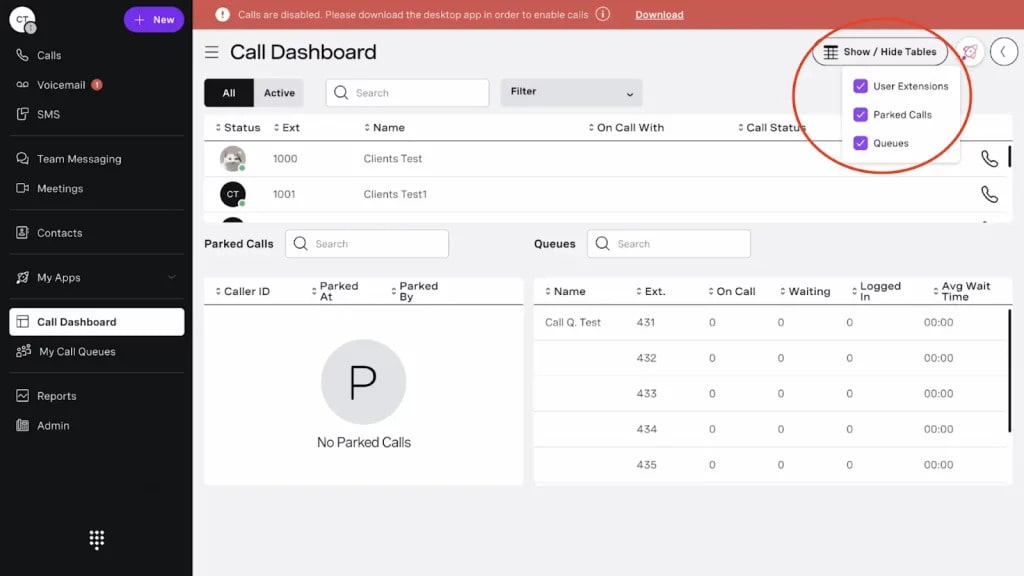
Vonage is a former residential provider that is now an enterprise powerhouse and a great PanTerra alternative. Its power is in the “App Center,” which offers businesses optional features (think AI, call recording, or CRM pop-ups) when needed. It’s a very adaptable platform that can be adjusted for many types of businesses.
Vonage Key Features:
- Vonage App Center: Marketplace of 20+ add-ons to customize your phone system
- Smart Numbers: Gives you the ability to set up certain triggers for your business line (for example, automatically text a customer back).
- Company Directory: Allows for an easy-to-use directory with presence indicators (busy, available, away).
- Virtual Receptionist: Any department forwards to a custom automated attendant.
Vonage Pros:
- Very customizable, you only pay for what features that you need.
- This is also an amazing developer API for custom integrations.
- Consistently high voice quality.
Vonage Cons:
- The starting price is reasonable, but add-ons can rapidly push the cost of PanTerra to make it seem like a bargain.
- Support for smaller accounts can be mostly automated.
Vonage Pricing:
Vonage pricing offers different options:
- Mobile: $19 per user per month
- Premium: $29 per user per month
- Advance: $39 per user per month
Vonage Integrations:
Salesforce, Zendesk, Bullhorn & Microsoft Dynamics.
Vonage Support Channels:
24/7 Phone, Chat & Developer Community
Vonage Ratings:
4.3/5
Vonage Reviews:
“Very scalable for a growing call center. We started with 5 lines and now have 50.”
“The API support is fantastic. We built our own custom PanTerra integrations using Vonage.”
Source: G2
9. Ooma Office
Overview:
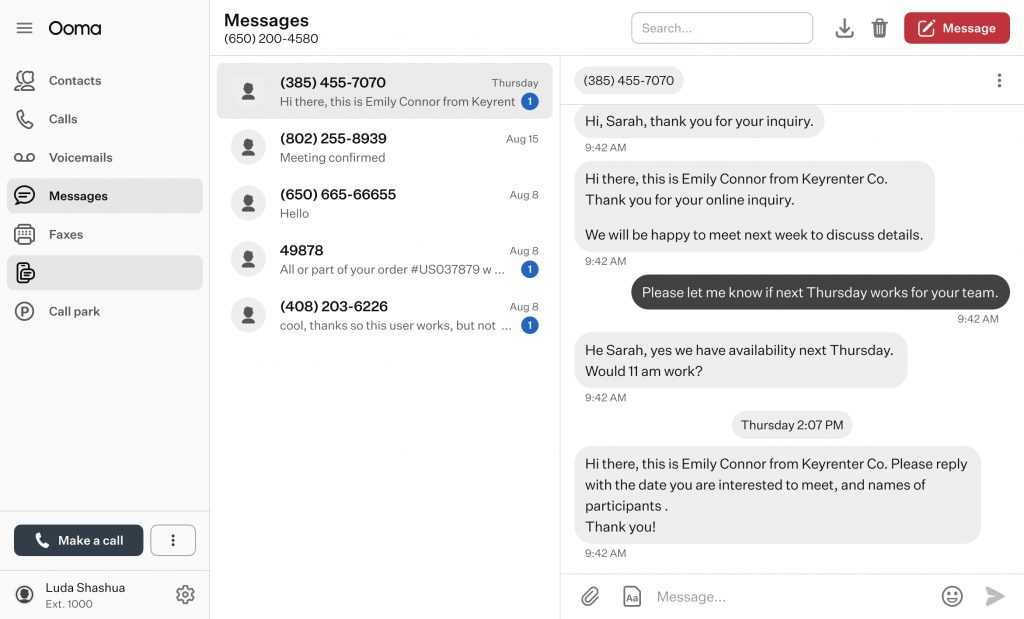
Ooma Office is geared toward small professional offices that require a reliable, quality phone system without the enterprise complexity of PanTerra. It’s all about the “basics done right”, crystal clear voice, easy setup, and no long-term contracts. It’s the best PanTerra alternative for users who want a “set it and forget it” solution.
Ooma Office Key Features:
- Virtual Receptionist: Enterprise-class Missed Call Assassin for small offices
- Multi-Ring: Simultaneously rings your desk phone and your mobile app.
- Superb Features of Desktop & Mobile App: Communication from any Laptop/Smartphone
- Online Fax: Send & receive faxes on the online portal
Ooma Office Pros:
- No contracts with very transparent pricing.
- Very high ratings for voice clarity
- Setup requires no IT expertise.
Ooma Office Cons:
- No advanced AI, transcription, and omnichannel analytics
- Not as many integrations compared to RingCentral and Emitrr.
Ooma Office Pricing:
There are three Ooma pricing options available:
- Essentials: $19.95
- Pro: $25.95
- Pro Plus: $29.95
Ooma Office Integrations:
Google, Microsoft 365.
Ooma Office Support Channels:
24/7 Phone and Live Chat.
Ooma Office Ratings:
4.6/5
Ooma Office Reviews:
“Does exactly what we need for our law firm without the enterprise fluff.”
“The best value for a small office. Much cheaper than the total PanTerra cost we were quoted.”
Source: G2
10. InterFAX
Overview:
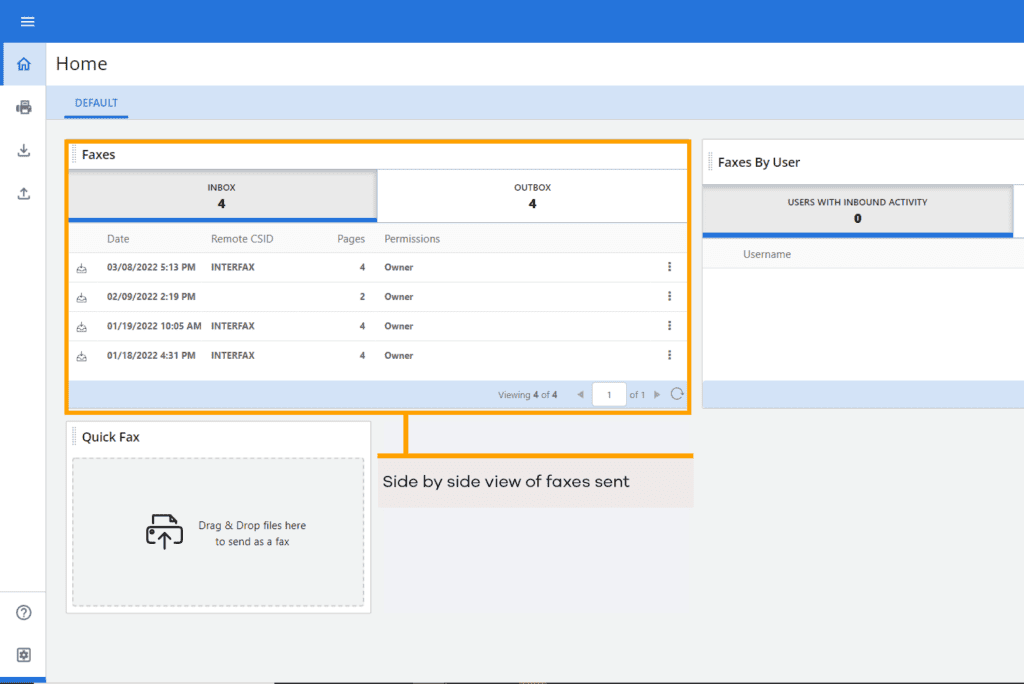
InterFAX is a specialized PanTerra competitor focused entirely on document delivery. If you use PanTerra primarily for high-volume, secure faxing or transactional messaging, InterFAX is a superior PanTerra replacement. The API is meant for developers who want to add faxing into their software or workflows via a reliable API.
InterFAX Key Features:
- Powerful Fax APIs: REST and SOAP APIs for custom applications.
- Bulk Document Sending: Can send you thousands of documents in one go with zero downtime.
- Email-to-Fax: Without needing software, sends faxes from any email client
- High-Security Compliance: Infrastructure compliant with HIPAA, PCI-DSS, and GDPR.
InterFAX Pros:
- The industry standard in high-volume document workflows.
- Excellent global delivery rates.
- Developer-first documentation.
InterFAX Cons:
- Not a single platform for communication, no voice, video, or SMS interaction.
- Does not lend itself to “office staff” who do not have technical backgrounds.
InterFAX Pricing:
They are a tiered plan based on the pages you create (from ~$15/month).
InterFAX Integrations:
Developer APIs (REST/SOAP), SMTP.
InterFAX Support Channels:
Online Documentation Email Developer Forums
InterFAX Ratings:
3.8/5
InterFAX Reviews:
“A developer’s dream for secure document sending. It never goes down.”
“Reliable, but my office staff can’t use it. It’s for tech teams, not admins.”
Source: G2
Why is Emitrr One of the Best PanTerra Alternatives?
AI Automation
Emitrr starts where PanTerra stops with AI-based voice and SMS agents that automate scheduling, follow-ups, FAQs, and features that are all added on to PanTerra’s communication infrastructure. Emitrr goes beyond a simple message routing solution; it drives real business outcomes through intelligent automation.
Unified Engagement
Emitrr is also more than just a bundle of communication tools — its true power lies in how it brings SMS, voice, fax, and automation workflows together into one cohesive dashboard. This eliminates tool sprawl and allows more intelligent, rapid customer engagement from a single platform.
Transparent Pricing
PanTerra’s pricing is quote-based and notoriously opaque, which can create challenges for scaling teams looking to budget. Emitrr has clean, transparent plans that scale predictably without hidden enterprise markups.
Faster Onboarding
PanTerra sequestration is IT-heavy to set up and has longer deployment cycles.
Emitrr’s plug-and-play onboarding gets teams up and running in days, not weeks, reducing friction and speeding up ROI.
Which industries are catered to by Emitrr?
Healthcare
Emitrr is designed for healthcare communication workflows, combining HIPAA-compliant virtual faxing with secure texting, audit-friendly logs, and automated reminders/confirmations to reduce no-shows and speed up document exchange (records, referrals, prescriptions, billing). It’s especially valuable for multi-location clinics that need consistent, compliant communication and a centralized inbox for staff.
Legal
Law firms and legal departments benefit from secure document exchange plus traceability, sending/receiving sensitive documents via fax, coordinating updates through SMS/voice, and maintaining accountability with logs and role-based access. This helps with contracts, notices, and time-sensitive filings where proof of transmission and a clear communication trail matter.
Real Estate
Real estate teams can send and receive contracts/addenda via digital fax while keeping clients informed with automated SMS updates (appointments, document requests, signing reminders). The unified communication approach is useful when multiple parties (buyers, sellers, lenders, title offices) need fast coordination and consistent follow-ups.
Education
Schools, colleges, and training organizations can securely distribute documents, run bulk notifications, and handle two-way texting for urgent updates (closures, scheduling changes, compliance notices). Centralized messaging helps staff communicate faster during time-sensitive situations while maintaining control over access and records.
Home Services
Home service businesses (HVAC, plumbing, cleaning, pest control) use Emitrr to streamline high-volume customer communication, appointment booking, confirmations, missed-call text-back, job updates, and invoicing follow-ups, so office staff can manage calls and messages from one place and reduce missed leads.
Key Takeaways
- PanTerra Alternative selection in 2026 focuses on AI integration and ease of use.
- PanTerra is a robust UCaaS titan but often lacks the “plug-and-play” agility of newer platforms.
- The PanTerra cost can be high for SMBs due to hidden fees and complex tiering.
- A true alternative to PanTerra should offer unified SMS, Voice, Fax, and AI agents.
- Automation is the key differentiator; modern platforms act as digital staff, not just “pipes.”
- PanTerra integrations are often restricted compared to modern API-first ecosystems.
- Transparency in PanTerra pricing remains a major pain point for growing businesses.
FAQs
Not really. PanTerra is extremely specialized, with its high cost and complex setup more aligned to a large enterprise IT team.
For those looking for AI-powered patient engagement, Emitrr is an excellent choice, and WestFax or InterFAX are decent options if pure API-based faxing is desired.
Yes. With modern platforms like Emitrr offering 100% digital cloud faxing, you can leave physical machines behind once and for all.
Yes, all the top-tier alternatives listed here (Emitrr, RingCentral, etc.) offer HIPAA compliance and sign Business Associate Agreements (BAAs).
If you are moving to a new-gen platform like Emitrr, you can often be up and running in 24–72 hours, depending on the number of porting lines.
Conclusion
While PanTerra remains a powerhouse for legacy enterprise needs, the business landscape in 2026 demands more. It requires engagement, intelligence, and agility. If you find yourself frustrated by the PanTerra cost, a complex UI, or a lack of modern AI automation, it’s time to move.
Emitrr is the best solution if you’re looking to transform your communication channel into a growth engine. Book a demo today.

 4.9 (400+
reviews)
4.9 (400+
reviews)