

Introduction
A patient asks for an earlier appointment. There is no opening today, but the practice expects cancellations during the week. So the patient gets added to a waitlist.
That sounds simple.
The problem starts when the list grows. Someone has to know who is still waiting, which patients can take a specific opening, who should be contacted first, and whether the patient still wants the appointment.
If that process lives in a spreadsheet, a notebook, or one staff member’s memory, it becomes easy for patients to get missed.
Good waitlist management gives the list a clear process. Every patient has a reason for being there, a set of preferences, a priority, and a next step. When an appointment opens, staff know who to contact and what happens after that.
This guide explains how to manage a patient waitlist, from adding patients to the list to prioritizing them, filling openings, and keeping the list from becoming stale.
AI Summary
- A patient waitlist works best when every entry has clear appointment preferences, priority, and a next step.
- Practices should set rules for who gets contacted first, how long patients remain active, and when entries are removed.
- A good appointment waitlist process gives patients a clear way to accept, decline, or respond to an available slot.
- Staff should track every outreach attempt so the list stays current.
- Automation can reduce repetitive work once the manual process is consistent and the waitlist becomes difficult to manage at volume.
What a Patient Waitlist Actually Is (and Isn’t)
A patient waitlist is a list of patients who want an appointment that is not currently available.
That could mean:
- A patient wants an earlier appointment than the one already booked.
- A preferred provider has no near-term availability.
- A specific appointment type is fully booked.
- A patient wants to be notified if a cancellation creates an opening.
- A patient needs a particular day or time that is currently unavailable.
But simply keeping a list of names does not make a waitlist useful.
A waitlist needs active management
An active waitlist connects patients to real appointment openings.
For example, a patient may want:
Dr. Smith, new patient visit, any weekday morning, within the next two weeks.
Another patient may want:
Any provider, follow-up visit, after 4 p.m.
These patients should not receive the same appointment offers.
A passive list, on the other hand, might only contain names and phone numbers. Staff still have to figure out what each patient wants, whether they are still waiting, and whether a new opening fits.
The difference is important:
| Passive list | Active waitlist |
| Patient name and contact details | Patient preferences and appointment requirements |
| Staff checks the list when they remember | Staff works from defined waitlist rules |
| No clear priority | Patients are prioritized using agreed criteria |
| Old entries remain indefinitely | Entries are reviewed and removed when no longer relevant |
| Openings are offered manually | Openings are matched to eligible patients |
The goal of patient waitlist management is not to maintain a longer list. It is to keep the list accurate enough that staff can act on it when an appointment becomes available.
Why Practices Need a Waitlist in the First Place
A waitlist management software can help practice’s make better use of appointments that patients already want.
It can help in four areas.
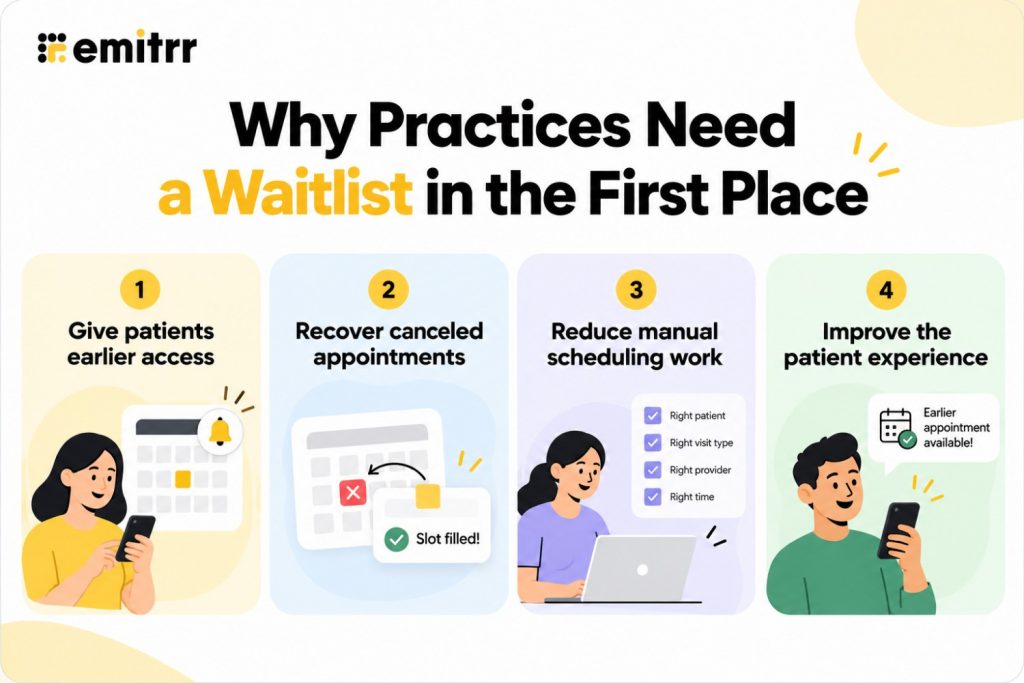
1. Give patients earlier access
A patient may be willing to come in sooner if an opening becomes available.
Instead of asking the patient to call back every few days, the practice can keep their request active and contact them when a suitable appointment opens.
2. Recover canceled appointments
A cancellation creates an opening that may otherwise remain unused.
A well-managed waitlist gives the practice a group of patients who have already said they want an earlier appointment. That makes it easier to offer the opening quickly.
3. Reduce manual scheduling work
Staff should not have to start from scratch every time a cancellation happens.
If the practice captures the right information when the patient joins the list, staff can quickly see who fits the opening.
For practices that already use online scheduling, patient self-scheduling can also give patients more control over available appointments without requiring staff to handle every booking manually.
4. Improve the patient experience
Patients do not have to keep calling to ask whether something opened up.
They know what happens next. The practice contacts them if a suitable appointment becomes available.
That small change can make a long wait feel much more manageable.

How Patients Get Added to a Waitlist
There are several ways a patient can join a waitlist.
1. The patient asks for an earlier appointment
A patient already has an appointment but wants something sooner.
For example:
A patient has an appointment three weeks from now but can come in any weekday morning if something opens earlier.
Staff can add the patient to the waitlist without changing the existing appointment.
2. No suitable appointment is available
A patient needs a specific provider or appointment type, but the schedule is full.
Instead of ending the scheduling conversation with “the next available appointment is six weeks away,” staff can offer the waitlist.
3. The patient joins online
If the scheduling system supports it, patients can indicate that they want an earlier appointment during the booking process.
This removes another manual step for staff.
4. Staff add the patient after a cancellation or no-show
A practice may have patients who previously asked to be contacted if an appointment becomes available.
Staff can add them to the appropriate waitlist when the opportunity arises.
What information should you capture?
The more useful information you capture at the start, the easier the list is to work with later.
At minimum, record:
| Information | Why it matters |
| Appointment type | A new patient visit may not fit a follow-up slot |
| Preferred provider | Some patients will only accept a specific provider |
| Location | Important for multi-location practices |
| Availability window | Helps staff avoid irrelevant offers |
| Earliest acceptable date | Shows how soon the patient wants to come in |
| Urgency | Helps separate routine requests from time-sensitive needs |
| Preferred contact method | Tells staff how the patient wants to hear from the practice |
| Date added | Useful when applying waitlist priority |
| Existing appointment | Helps avoid replacing a confirmed appointment unnecessarily |
Capture this information when the patient joins the list. Do not wait until a slot opens.
How to Prioritize a Patient Waitlist
There is no single rule that works for every practice.
Some practices use first-come-first-served. Others prioritize based on clinical need, appointment type, provider, or other documented criteria.
The important part is to define the rule before an opening appears.
First-come-first-served
This is the simplest approach.
The patient who joins first gets the first suitable opening.
It is easy for staff to understand and explain. It also works well when patients have similar needs, and the practice does not need clinical prioritization.
Priority-based waitlists
Some practices need more flexibility.
For example, a practice may separate patients into:
- Routine appointments
- Time-sensitive appointments
- Clinically urgent cases
- Specific provider requests
- Specific appointment types
Clinical urgency should follow the practice’s established clinical policy. Front-desk staff should not make medical priority decisions outside their role.
Segment the list
A single long list is harder to manage than several clear groups.
You can segment patients by:
- Provider
- Appointment type
- Location
- Insurance requirements
- Preferred time
- Clinical need, where appropriate
- Earliest acceptable date
This makes it easier to find the right patients when an opening appears.
What about VIP patients?
This is where practices need to be careful.
If certain relationship-based exceptions exist, document them clearly. Do not let staff make different decisions from one cancellation to the next.
Patients should have a process the practice can explain consistently.
How Openings Get Communicated to Waitlisted Patients
Once an opening appears, the next question is simple:
How do you reach the right patient quickly?
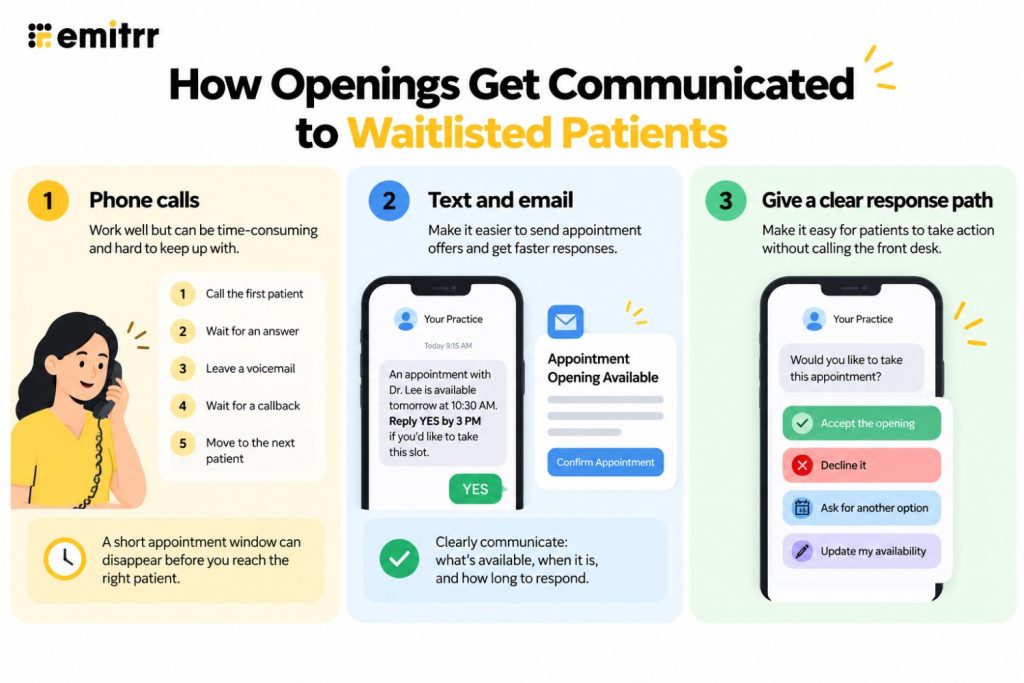
Phone calls
Phone calls work, especially for patients who need a more personal conversation.
But they take time.
Staff may have to:
- Call the first patient.
- Wait for an answer.
- Leave a voicemail.
- Wait for a callback.
- Move to the next patient if the slot is time-sensitive.
A short appointment window can disappear before the process reaches the right person.
Text and email
Text and email can make it easier to send an appointment offer to patients who have agreed to receive those communications.
The message should make three things clear:
- What appointment is available
- When it is available
- How long the patient has to respond
For example:
An appointment with Dr. Lee is available tomorrow at 10:30 a.m. Reply YES by 3 p.m. if you would like to take this slot.
The patient should not have to guess what to do next.
Give patients a clear response path
A waitlist message should not end with:
“Please call us if you are interested.”
That sends the work straight back to the front desk.
Instead, give patients a simple way to:
- Accept the opening
- Decline it
- Ask for another option
- Update their availability
The exact response method depends on the communication tools and workflow the practice uses.
How Staff Manage Responses and Scheduling
The waitlist does not end when the message goes out.
Someone needs to own what happens next.
Assign clear ownership
Decide who checks the waitlist and who handles responses.
For example:
Front desk: manages routine waitlist requests and scheduling.
Referral or scheduling team: handles specialty-specific or provider-specific lists.
Clinical team: makes decisions where clinical priority is involved.
The exact roles depend on the practice. The important part is that ownership is clear.
Decide what happens when two patients respond
This can happen quickly.
Two patients may receive an opening. Both may say yes. The practice needs a rule for who gets the appointment.
That could be based on:
- Waitlist priority
- Time of response
- Clinical priority
- Appointment fit
Again, define the rule before the situation occurs.
Document the outcome
Every contact should leave the waitlist in a clear state.
For example:
Contacted → Accepted → Scheduled
or
Contacted → Declined → Remains active
or
Contacted → No response → Follow-up required
Without this step, the same patients may keep appearing in future searches even though their situation has changed.
When to Redirect a Patient Instead of Waitlisting Them
A waitlist is not always the right answer.
Sometimes the practice cannot offer the patient an appointment within a reasonable timeframe.
For example:
- The next suitable appointment is months away.
- The patient needs care sooner than the practice can provide.
- The practice does not have the provider or service the patient needs.
- The patient needs a level of care the practice cannot provide.
- Another location or provider can meet the need sooner.
In these cases, keeping the patient on a list without a realistic path forward does not help.
If the need is urgent, follow the practice’s clinical escalation process rather than treating the request as a routine waitlist entry.
Common Waitlist Management Problems and How to Fix Them
Most waitlist problems are not caused by one major failure.
They build up from small gaps.
Stale entries
A patient gets added to the list and never removed.
Weeks later, staff offers an appointment the patient no longer wants.
Fix: Set an expiration period or review date.
Repeated outreach
A patient declines several appointments, but the practice keeps sending more offers.
Fix: Record declines and set rules for how often patients are contacted.
No visibility into wait time
A practice may know who is on the list but not how long each patient has been waiting.
Fix: Track the date added and review older entries regularly.
Inconsistent prioritization
Two patients with similar requests receive different treatment because different staff members work the list differently.
Fix: Document the priority rules and make them easy for staff to follow.
The list does not match the live schedule
A spreadsheet may show an opening that has already been filled.
Or a patient may be contacted for an appointment they cannot use.
Fix: Keep the waitlist connected to the actual scheduling workflow as closely as possible.
For practices evaluating the scheduling side of this process, appointment scheduling software can help centralize availability and booking instead of relying on disconnected processes.
Waitlist problems often start with small gaps in the patient intake process. Watch “16 Costly Patient Intake Mistakes & How to Avoid Them” to see how common intake issues can create downstream problems for scheduling and the patient experience.
Waitlist Policies Worth Setting
A written policy removes a lot of guesswork.
At minimum, define these rules.
| Policy | Question to answer |
| Active period | How long does a patient remain on the waitlist? |
| Contact attempts | How many times does staff contact a patient? |
| Response window | How long does a patient have to claim an opening? |
| Priority | Who gets contacted first? |
| Declined offers | Does declining remove the patient or keep them active? |
| No response | What happens after repeated non-response? |
| Preferences | Can patients change providers, locations, or time windows? |
| Removal | When and how is a patient removed from the list? |
| Urgent needs | When does the practice use its clinical escalation process instead? |
These rules do not have to be complicated.
The goal is consistency.
Want to see how your current waitlist process measures up? Download our free Waitlist Management Assessment to review key policies, identify gaps in your current process, and see where greater consistency can improve how your team manages patient waitlists.
Ways to Improve Your Waitlist Workflow
Once the basic process is in place, a few changes can make appointment waitlist management much easier.
1. Keep one source of truth
Do not split the waitlist across:
- Spreadsheets
- Sticky notes
- Individual staff inboxes
- Paper lists
- EHR notes
Staff should know where the current list lives.
2. Capture the right information once
Do not make staff call a patient again just to ask which provider they prefer or what time they can come in.
Capture those preferences when the patient joins the list.
3. Set a response window
An opening is time-sensitive.
Tell patients how long they have to respond before the appointment goes to someone else.
4. Review the list regularly
Set a recurring review.
Remove patients who no longer need an appointment. Update preferences that have changed. Check older entries that have been sitting without activity.
5. Track why openings are not getting filled
If cancellations repeatedly remain open, ask why.
Is the list too small? Are patients being contacted too late? Are the matching rules too restrictive? Are patients not responding?
The answer tells you where the process needs work.
6. Add automation when the manual process stops working
Manual healthcare waitlist management can work when the list is small and cancellations are easy to handle.
The pressure changes when the practice has a high volume of appointments, multiple providers, or frequent cancellations.
That is where automated waitlist management can take over repetitive steps such as identifying matching patients, triggering outreach, and keeping the status updated. The goal is not to remove staff from the process. It is to keep staff focused on cases that need judgment or intervention.
If you want to see how this works in more detail, our guide about how to set up waitlist automation goes deeper into the automation side of the process.
Key Takeaways
- A patient waitlist only works when the practice actively manages it.
- Capture appointment preferences when the patient joins the list.
- Set clear rules for priority, response windows, and removal.
- Keep the list current so staff do not contact patients who no longer need an opening.
- Give patients a simple way to accept or decline an appointment.
- Track every response so the next staff member knows what happened.
- Use automation when the manual process becomes difficult to maintain at volume.
FAQs
Start with a clear process. Capture the patient’s appointment preferences, define priority rules, assign ownership, set response windows, and review the list regularly. Every patient should have a clear status and next step.
It depends on the practice. First-come-first-served works for many routine requests. Other practices may need rules based on appointment type, provider, availability, or clinical urgency. Clinical priority should follow the practice’s established clinical process.
There is no universal timeframe. Set a period that fits the practice and appointment type. The policy should also explain what happens when a patient does not respond, declines multiple offers, or no longer needs the appointment.
Use a channel the patient has agreed to receive and make the offer easy to understand. Include the appointment details, a clear response deadline, and a simple way to accept or decline the slot.
Yes. A small practice can manage a short waitlist manually if it has clear rules and someone owns the process. As the list and appointment volume grow, a spreadsheet or manual call process becomes harder to keep current. At that point, a dedicated workflow or automation can reduce the amount of repetitive work.
Conclusion
Good waitlist management is less about keeping a list and more about knowing what to do with it. The practice needs to know who is waiting, what appointment they need, who should be contacted first, and what happens when an opening appears. Clear rules make that process easier for staff and more predictable for patients.
Start with a simple process, keep the list current, and add automation when manual work starts getting in the way. Emitrr provides a more streamlined way to manage patient waitlists, helping practices reduce the manual effort involved in keeping patients engaged and filling open appointment slots.
Book a demo to see how Emitrr can help your practice build a more efficient waitlist management process.


 4.9 (400+
reviews)
4.9 (400+
reviews)