
Introduction
A dermatology chart carries a different burden than most specialties: it has to hold high-resolution before-and-after photos, track lesions across visits, document injectable units and product lots for a cosmetic procedure, and still support standard E&M coding for a biopsy or a full-body skin check, sometimes all in the same day. An EMR for dermatologists has to serve two overlapping businesses, medical dermatology billed through insurance and cosmetic dermatology paid in cash, and most general ambulatory EHRs were never built to hold both without heavy customization.
The gap shows up fastest around images and consent. A biopsy note is one thing; a Botox unit map tied to a signed consent form and a synced charge is another. Add procedure-specific scheduling (a Mohs case needs a very different block than a cosmetic consult), cosmetic lead intake that should never touch a clinical chart until it’s supposed to, and MMS-heavy photo communication with real carrier costs, and it becomes clear why a dermatology-specific evaluation looks nothing like a generic EMR checklist. This guide walks through the blockers specific to dermatology, the features that actually matter across both medical and cosmetic workflows, how leading systems compare, and how to evaluate vendors before signing.
AI Summary
- The defining dermatology EMR requirement is handling image-heavy, consent-driven documentation (before-and-afters, lesion tracking, injectable mapping) alongside standard medical charting, not treating photos as a generic attachment.
- The most significant blocker for many practices is fragmented systems between the clinical EMR, a separate aesthetic CRM or marketing tool, and payment collection, which forces staff to reconcile patient records, consent, and billing across disconnected platforms.
- Procedure-specific scheduling, correctly sized blocks for Mohs, injectables, cosmetic consults, and medical visits, is the most operationally important feature category, since a generic appointment-slot model breaks down quickly in a mixed medical-cosmetic practice.
- Integration diligence should focus on whether photo and consent data actually attach to the structured chart record, and whether a cosmetic lead capture tool can stay separate from the clinical record until intake is complete.
- Practices should choose between a medical-first system (stronger insurance billing and biopsy workflows) and an aesthetics-first system (stronger photo, injectable, and membership tools) based on their actual revenue mix, rather than assuming one platform does both equally well.
Which EMR for Dermatologists Is Right for You? TL;DR
| EMR | Best suited for | Key strengths | Potential consideration |
| EZDERM | Dermatology-focused practices | Specialty-specific charting, lesion tracking, clinical photos, cosmetic and medical workflows | Best suited to practices that want a dedicated dermatology EMR |
| AdvancedMD | Flexible and growing practices | Customizable templates, scheduling, billing, reporting, cloud access | Not dermatology-specific, so some workflows may require customization |
| ModMed | Specialty dermatology practices | Specialty workflows, clinical documentation, photo management, procedure tracking | May be more than smaller practices need |
| athenaOne | Growing and multi-location practices | Cloud-based EHR, scheduling, billing, patient records | General-purpose platform rather than a dedicated dermatology EMR |
| Nextech | Medical and cosmetic dermatology | Dermatology charting, photography, procedure tracking, billing | Better suited to practices that need specialty and cosmetic workflows |
| CureMD | Practices needing customization | Customizable templates, charting, scheduling, billing | Requires configuration for dermatology-specific workflows |
| Practice EHR | Practices seeking a flexible EHR | Clinical documentation, scheduling, billing, customizable workflows | Fewer dermatology-specific capabilities than specialty platforms |
Challenges for Dermatology Clinics
Fragmented payment workflows without native text-to-pay or integrated card capture
Many dermatology EMRs, particularly medical-first platforms, were not built with modern payment collection in mind. Balances for cosmetic add-ons, membership renewals, or patient copays often have to be collected over the phone or in person because the EMR lacks a native text-to-pay or embedded card workflow. This matters because cosmetic dermatology depends on fast, frictionless payment capture at the point of decision; a patient asking about a filler touch-up mid-conversation should be able to pay immediately, not wait for a callback. Practices should verify whether payment links can be sent directly from a patient conversation and whether that payment reconciles automatically with the chart, or whether it requires a separate manual entry into a billing system.
MMS costs and carrier limitations for photo-heavy communication
Before-and-after photos, wound-check images, and prescription refill photos are routine in dermatology, but MMS messaging carries real carrier-level costs and limitations that differ from plain text messaging. A high volume of photo exchange, both clinical (documenting a rash) and cosmetic (marketing a result), can consume messaging credits or budget faster than a practice expects. Practices should ask any vendor, EMR or communication tool, how MMS is priced and whether there are volume-based limitations from carriers that could affect delivery reliability.
Consent handling for before-and-after photos that does not integrate with the chart
Cosmetic photo consent is legally and operationally distinct from general treatment consent: a patient may consent to clinical documentation of a lesion but not to marketing use of a cosmetic result. If the EMR treats all photo consent as a single checkbox rather than tracking specific, revocable permissions (marketing use, social media use, before-and-after galleries), practices risk using an image without proper authorization. Verify whether consent is tracked per photo or per use case, and whether revoking consent later actually removes the image from any connected marketing tool.
CRM fragmentation between the clinical EMR and aesthetic marketing or CRM tools
Many dermatology practices, especially those with a meaningful cosmetic line, run a separate aesthetic CRM or marketing platform alongside the clinical EMR for lead capture, campaigns, and loyalty programs. Without a real integration, staff ends up re-entering the same patient information twice, and cosmetic leads can accidentally end up mixed into the clinical patient list before they’ve actually become patients.
Complex, procedure-specific scheduling that generic appointment slots cannot represent
A Mohs surgery case, a full-body skin exam, a 15-minute injectable touch-up, and a cosmetic consultation all require very different time blocks, room setups, and sometimes different provider or staff pairings. Generic, uniform appointment-slot scheduling forces staff to manually adjust block lengths and can lead to overbooked procedure days or wasted chair time. Practices should verify whether the EMR supports procedure-specific, provider-specific scheduling templates, and what happens administratively if a scheduler ignores the recommended block length.
Must-Have EMR Features for Dermatologists
| Feature | Why It Matters Operationally |
| Dermatology-specific documentation and procedure templates | Speeds charting for high-volume visit types, from full-body exams to biopsies to injectables, without forcing free text for routine findings |
| Integrated body mapping and lesion tracking | Lets providers track a specific lesion’s appearance and location across visits, which matters for both clinical decision-making and coding accuracy |
| Before-and-after photo management with structured consent | Separates cosmetic image handling from generic file attachments, with consent tracked per use case rather than as a blanket checkbox |
| Injectable and product tracking tied to billing | Connects units used (Botox, filler) directly to inventory deduction and the charge, reducing reconciliation errors common with manual tracking |
| Procedure-specific scheduling | Matches real dermatology visit patterns (Mohs, cosmetic consult, biopsy, injectable) rather than uniform appointment slots |
| Recall and treatment follow-up workflows | Supports multi-visit aesthetic treatment plans and medical follow-up (post-biopsy, post-Mohs) without relying on staff memory |
| Cosmetic lead capture kept separate from clinical records | Prevents cosmetic inquiries from prematurely becoming part of a clinical chart before intake is complete |
| Mobile and iPad-friendly charting | Many dermatology visits happen with the provider standing and moving between exam rooms; a system that works well on a tablet reduces friction compared to a desktop-only interface |
| Billing for both medical and cosmetic revenue streams | Insurance billing and cash-pay cosmetic billing have different requirements, and a dermatology EMR needs to support both without a bolted-on workaround |
| Patient portal and secure messaging | Supports post-procedure instructions, photo sharing, and appointment communication without relying on unsecured personal devices |
| VoIP Calling & Missed Call to Text | VoIP Calling & Missed Call to Text lets your clinic make calls directly from your derm EMR. If a call is missed, the system can send an automatic text message. This VoIP for dermatologists keeps communication smooth and professional. |
| AI-Powered Auto Replies | AI-Powered Auto Replies in modern top dermatology EHR platforms send instant responses to common questions. This saves staff time and helps patients get quick answers through your EMR for dermatology. |
| Secure Patient Communication Inbox | A Secure Patient Communication Inbox stores all messages in one safe place. The best dermatology EHR systems organize conversations clearly, so nothing gets lost. |
| Reporting on procedure volume, recall compliance, and revenue mix | Helps practice owners see how the medical and cosmetic sides of the business are actually performing |
Best EMRs for Dermatologists: Detailed Analysis
- EZDERM
- AdvancedMD
- ModMed
- athenaOne
- Nextech
- Tebra
- Practice EHR
| EMR | Specialty capabilities | Ease of use & workflow | Patient communication | Potential limitation |
| EZDERM | Dermatology-specific charting, lesion tracking, clinical photography, medical and cosmetic workflows | Designed around dermatology workflows | Reminders, confirmations, two-way texting, and follow-ups with Emitrr | Less suitable for practices needing a broader multi-specialty platform |
| AdvancedMD | Customizable templates, clinical documentation, scheduling, and billing | Flexible and highly configurable | Automated reminders, confirmations, and follow-ups with Emitrr | Requires customization for dermatology-specific workflows |
| ModMed | Specialty documentation, photo management, procedure tracking, and billing | Built for specialty practice workflows | Automated reminders and post-treatment communication with Emitrr | Can be more feature-rich than smaller practices require |
| athenaOne | Electronic records, charting, scheduling, billing, and customizable workflows | Cloud-based and flexible across locations | Text reminders, confirmations, and follow-ups with Emitrr | Not specifically designed for dermatology |
| Nextech | Dermatology charting, clinical photography, procedure tracking, and medical/cosmetic workflows | Strong fit for specialty practice operations | Two-way texting, reminders, confirmations, and follow-ups with Emitrr | May be more specialized than general medical practices need |
| CureMD | Clinical documentation, patient records, scheduling, billing, and customizable templates | Flexible workflows with cloud access | Automated reminders, confirmations, and follow-ups with Emitrr | Dermatology workflows may need configuration |
| Practice EHR | Patient records, clinical documentation, scheduling, and billing | Straightforward and customizable | Appointment reminders and follow-up messaging with Emitrr | Fewer dermatology-specific capabilities |
1. EZDERM
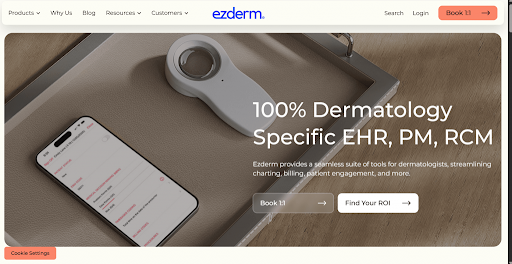
EZDERM is built specifically as an EMR for dermatology, so it understands how skin clinics work. It helps doctors manage charting, store and compare photos, track lesions, and handle both medical and cosmetic treatments. As a dermatology-specific EMR, it also supports billing workflows and detailed coding, helping keep dermatology electronic medical records accurate and organized.
When integrated with Emitrr, clinics can automate appointment reminders, send follow-ups, and manage patient texts easily. This improves communication, reduces no-shows, and helps dermatology practices run more smoothly while continuing to use their trusted EMR for dermatology.
2. AdvancedMD
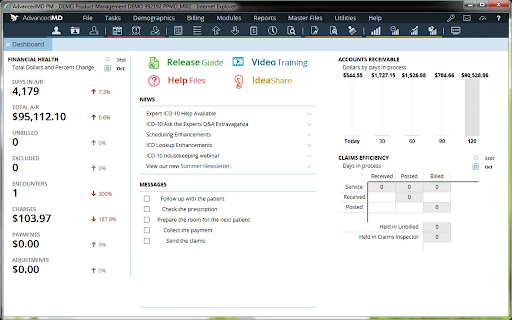
AdvancedMD is a cloud-based system that many medical practices use, including dermatology clinics. It’s not made only as an EMR for dermatology, but it can be adjusted to fit how a skin clinic works. Doctors can manage patient charts, scheduling, billing, and reports all in one place. Because it’s flexible, dermatology practices can customize templates and workflows to match their daily routine.
When paired with Emitrr, communication becomes much easier. Appointment reminders can go out automatically, patients can confirm visits by text, and follow-up messages can be sent without extra effort. Staff don’t have to switch between tools to manage conversations. This helps clinics stay organized, reduce missed appointments, and get more value from their EMR for dermatology.
3. ModMed
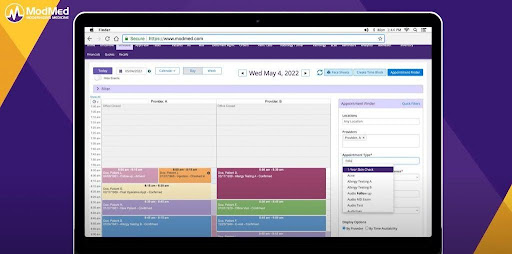
ModMed is made for specialty practices, including dermatology. It works as an EMR for dermatology that understands how skin clinics actually function. Doctors can document visits, store photos, track procedures, and manage billing in one system. Since it’s built for specialties, many dermatologists feel it fits their daily workflow better than general medical software.
When paired with Emitrr, communication becomes much easier. Appointment reminders can be sent automatically, patients can confirm visits by text, and follow-up messages can go out after treatments. Staff spend less time making calls, and the clinic stays more organized while getting the most out of their dermatology EMR software.
4. athenaOne
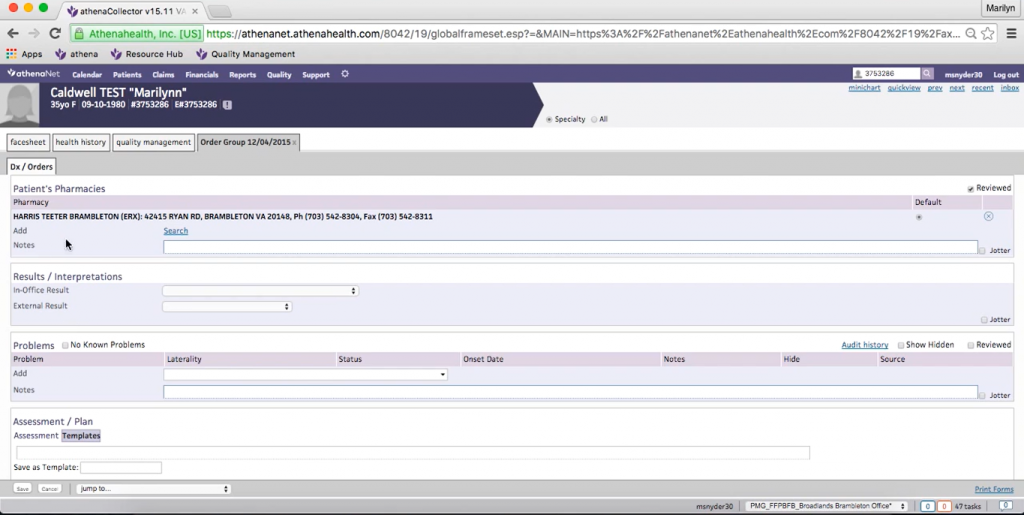
athenaOne is a cloud-based system used by many medical practices, including dermatology clinics. It is not built only as an EMR for dermatology, but it also offers flexible tools that can be adjusted for skin care workflows. Clinics can manage charting, scheduling, billing, and patient records in one place. Because it’s cloud-based, providers can access information from different locations, which is helpful for growing practices.
When paired with Emitrr, athenaOne becomes even stronger on the communication side. Appointment reminders can be sent automatically, patients can confirm visits through text, and follow-up messages can be handled without extra effort. This helps clinics reduce missed appointments, respond faster to patients, and get more efficiency from their EMR for dermatology.
5. Nextech
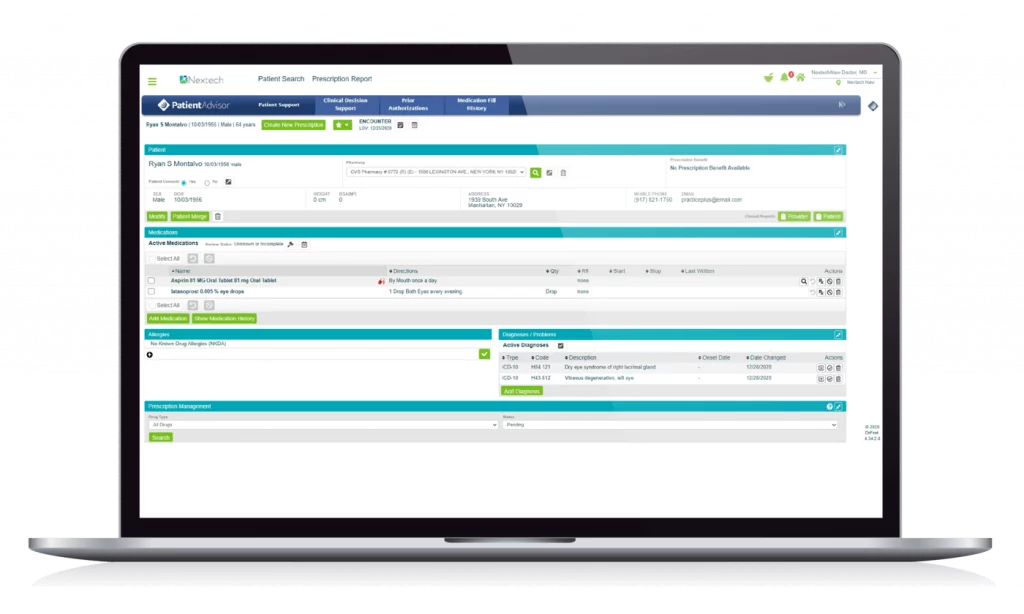
Nextech is designed mainly for specialty practices, including dermatology. It works well as an EMR for dermatology because it supports detailed charting, photo documentation, and procedure tracking. Many dermatology clinics use Nextech to manage both medical and cosmetic services in one system. It also includes billing and practice management tools, which help keep daily operations organized.
When paired with Emitrr, Nextech users can improve patient communication without adding extra steps. Appointment reminders can be sent automatically, patients can reply by text, and follow-up messages can go out after visits. This helps reduce no-shows, improve patient engagement, and get more value from your dermatology EMR software while keeping workflows smooth and simple.
6. CureMD
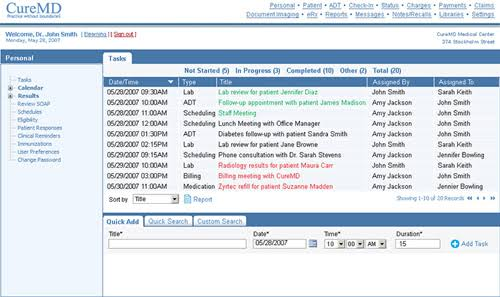
CureMD is a cloud-based EMR and practice management software that can be used by dermatology practices. While it is not built exclusively as an EMR for dermatology, it offers tools for managing patient charts, scheduling, billing, clinical documentation, and practice workflows. Dermatology clinics can customize templates and workflows to better support their day-to-day needs and keep patient information organized.
When paired with Emitrr, CureMD users can simplify patient communication. SMS appointment reminders can be automated, patients can confirm visits through text, and follow-up messages can be sent without requiring staff to make manual calls. This helps reduce no-shows, improve patient engagement, and make everyday communication more efficient while continuing to use CureMD as their EMR for dermatology.
7. Practice EHR
Practice EHR is a cloud-based electronic health record system that helps medical practices manage patient records, clinical documentation, scheduling, billing, and other administrative workflows. While it is not specifically designed as an EMR for dermatology, its customizable features can support dermatology practices and their unique documentation and workflow needs.
When paired with Emitrr, Practice EHR can support a more connected patient communication workflow. Clinics can automate appointment reminders, allow patients to confirm appointments by text, and send follow-up messages after visits or treatments. This reduces the need for manual calls, helps lower no-shows, and keeps patients engaged while allowing dermatology practices to continue using their existing EMR for dermatology.
How Emitrr Works Alongside Your Dermatology EMR
Deep Scheduler Integrations and Custom Rules
Emitrr can connect with scheduling workflows through integrations or custom connectors designed around your practice’s rules. These can account for provider availability, appointment types, procedure durations, scheduling blocks, and provider-specific constraints. This allows AI-powered scheduling workflows to recommend or book valid appointments based on actual availability.
For practices comparing the top dermatology EMR or best dermatology EMR, this type of integration can help extend the value of the existing system without requiring staff to manage scheduling across disconnected platforms.
Missed-Call Lead Capture and Qualification
Missed calls can mean lost cosmetic leads or delayed responses for existing patients. Emitrr can use AI to respond to missed or new-patient calls, collect basic information such as the procedure of interest, reason for calling, and preferred timeline, and then send a booking link or route the conversation to staff.
Consolidated Patient Communications
Emitrr can bring calls, texts, webchats, and other patient communications into a unified inbox. Front-desk and aesthetic teams can manage conversations in one place while maintaining context across medical patients and cosmetic leads.
This creates a communication layer around your best dermatology EHR or top EHR for dermatology, allowing staff to spend less time switching between communication tools and more time responding to patients.
Secure Media and Consent Workflows
Dermatology practices frequently need to exchange photos, patient intake information, and consent documentation before or after appointments. Emitrr can support secure links and messaging workflows for these interactions.
Automated Reminders and Follow-Ups
Emitrr can automate communication around dermatology appointments, procedures, and recurring care. Practices can send appointment reminders, confirmations, procedure-specific instructions, post-treatment follow-ups, patient recall messages, and reactivation campaigns.
Flexible Deployment Around Vendor Constraints
Some EMRs or phone systems may make it difficult to immediately port an existing business number. Emitrr can support alternatives such as call forwarding, hosted SMS, or a temporary number, allowing communication automations to launch without immediately replacing the practice’s existing system.
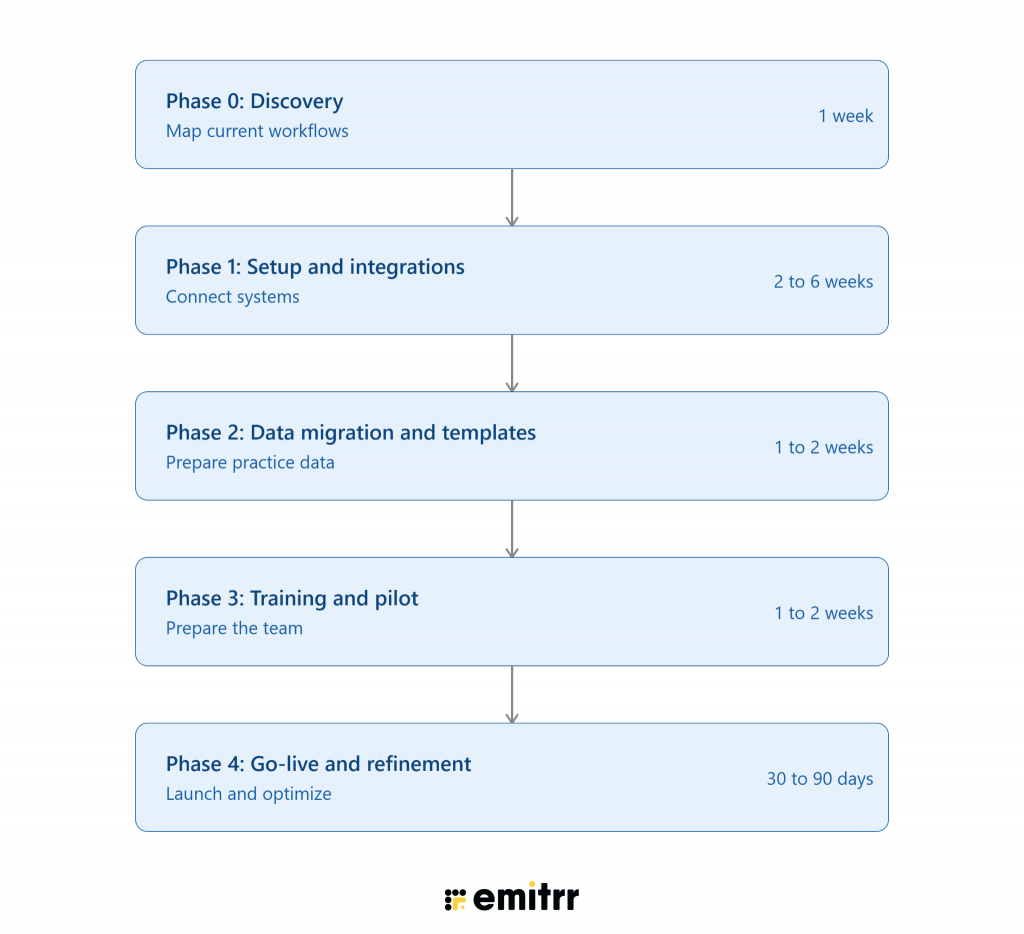
EMR Implementation Roadmap
Key Takeaways
- Dermatology EMR selection should be judged on how well a system handles image-heavy, consent-driven documentation across both medical and cosmetic workflows, not on generic ambulatory feature checklists.
- The costliest blockers in dermatology practices tend to come from fragmentation between the clinical EMR, a separate aesthetic CRM, and payment collection, rather than from the core documentation module itself.
- Procedure-specific scheduling and photo consent granularity are the two integration details most worth verifying with a live demo rather than a general vendor claim.
- Practices should choose between medical-first and aesthetics-first platforms based on actual revenue mix, since few systems are equally strong on both sides.
- Implementation timelines vary based on the volume of existing photos, consent records, and injectable inventory data being migrated, and should be treated as planning ranges rather than guarantees.

FAQs
A dermatology EMR primarily focuses on maintaining a patient's digital medical record within the practice, while an EHR is designed to support broader health information sharing and coordination. In practice, the terms are often used interchangeably when discussing dermatology EMR software and best dermatology EHR platforms.
Some of the top EHR options for dermatology include EZDERM, ModMed, Nextech, AdvancedMD, athenaOne, CureMD, and Practice EHR. The right choice depends on factors such as specialty functionality, customization, scalability, integrations, ease of use, and practice size.
Yes. Depending on the platform and available integrations, dermatology EMR software can connect with communication and automation platforms such as Emitrr. This can help practices automate appointment reminders, confirmations, two-way texting, follow-ups, and missed-call responses.
Some dermatology EMR platforms offer cloud access or mobile applications that can support iPad workflows. However, practices should verify the specific dermatology EMR iPad capabilities they need, including chart access, documentation, clinical photography, scheduling, and other mobile functions.
Emitrr works alongside a dermatology EMR rather than replacing it. It can provide communication and workflow automation for appointment reminders, two-way texting, missed-call lead capture, scheduling conversations, follow-ups, recall campaigns, and patient engagement while the EMR remains the system of record.
Yes. Many EMRs provide scheduling and reminder capabilities, while an integrated communication platform can extend these workflows with automated reminders, confirmations, two-way texting, and follow-ups. This can help practices reduce missed appointments and improve patient engagement.
Yes, sometimes. A cosmetic derm EMR often includes tools for tracking injectables, laser treatments, before-and-after photos, and package pricing. Clinics offering both medical and cosmetic services may prefer a flexible, customizable EMR that dermatologists can adjust to both needs.
Yes. A good EMR for dermatology works well for both small and large clinics. Smaller practices benefit because it keeps everything organized in one place — notes, photos, billing, and appointments. It reduces paperwork and saves staff time.
Cloud-based dermatology EHR software allows doctors to access records from different locations. This is helpful for multi-location practices or providers who want remote access. Many modern top dermatology EMR platforms are cloud-based.
Conclusion
Choosing the right EMR for dermatologists means looking beyond basic electronic records. The best dermatology EMR should support the distinct needs of both medical and cosmetic dermatology, from insurance-ready documentation, coding, and pathology tracking to clinical photography, consent management, procedure scheduling, and billing.
Once you have the right dermatology EMR software in place, the next opportunity is improving everything that happens around it. Emitrr adds communication and workflow automation to help dermatology practices manage reminders, two-way texting, missed calls, scheduling, follow-ups, and patient engagement.
Ready to simplify patient communication alongside your dermatology EMR? Book a demo with Emitrr and see how it can fit into your existing workflow.

 4.9 (400+
reviews)
4.9 (400+
reviews)