
Introduction
Urgent care runs on unpredictability. Patient volume swings by the hour, most visits are walk-ins rather than scheduled appointments, and a clinic might see a sprained ankle, a strep test, and a laceration repair back to back, each needing fast, accurate documentation without slowing down the line at the front desk. An EMR for urgent care clinics has to support rapid registration, dynamic (not fixed-slot) scheduling, and complaint-driven documentation that can be completed in minutes, not the appointment-based workflows built into most general ambulatory EHRs.
Multi-site urgent care networks add another layer: provider availability that shifts between locations, multiple EHR organizations or instances to manage, high call volumes from patients checking wait times, and coordination with hospitals or referring providers for cases that need escalation. Independent, single-location clinics face a narrower but still real set of challenges around after-hours coverage and fax-heavy document workflows. This guide covers the blockers specific to urgent care, the features that matter for both models, and how to evaluate vendors and plan implementation without disrupting a clinic that cannot simply close its doors during a system switch.

AI Summary
- The defining urgent care EMR requirement is speed under unpredictable volume: rapid registration, complaint-driven charting, and dynamic scheduling that treats walk-ins as the default, not the exception.
- The most significant blocker for growing urgent care networks is EHR API limitations around appointment creation, provider-on-call synchronization, and multi-site data mapping, which forces manual coordination between locations.
- Clinical documentation speed (complaint-driven templates, ambient or AI-assisted charting) is the most important feature category, since throughput directly affects both patient experience and revenue.
- High call volume and after-hours communication are a meaningful integration consideration, and usage-based AI or call-handling pricing should be understood before committing to a specific volume.
- Independent clinics should prioritize fast implementation and clear billing support, while multi-site networks should prioritize API depth and centralized multi-location reporting.
Which EMR for Urgent Care Clinics Is Right for You? TL;DR
| EMR | Best suited for | Key strengths | Potential consideration |
| Experity | Urgent care centers needing purpose-built urgent care EMR software | Urgent care-specific charting, real-time patient tracking, integrated billing, lab and imaging integrations, e-prescribing, and operational reporting | Its specialized workflows may be less suitable for organizations with broader multi-specialty requirements |
| athenahealth | Centers prioritizing revenue performance and a comprehensive best EHR for urgent care | Strong revenue cycle management, payer connectivity, scheduling, patient engagement, analytics, and cloud-based workflows | Implementation and configuration can require more time, and pricing may vary based on collections |
| AdvancedMD | Growing centers that need flexible urgent care software | Customizable templates, integrated scheduling and billing, reporting, revenue cycle management, and patient communication | The extensive customization can increase setup and training requirements |
| DrChrono | Smaller teams looking for an easy-to-use urgent care EMR | Intuitive interface, mobile access, quick charting, scheduling, billing, e-prescribing, and patient messaging | May not offer the depth and scalability required by larger urgent care organizations |
| eClinicalWorks | Multi-location organizations seeking scalable urgent care EMR systems | Clinical documentation, revenue cycle management, patient engagement, interoperability, analytics, and multi-location support | Broad functionality can make implementation and training more complex |
| NextGen Healthcare | Centers managing varied visit types and structured growth | Flexible charting, e-prescribing, billing, reporting, lab and imaging integrations, and patient engagement | Advanced functionality may require additional implementation time and training |
| Practice Fusion | Smaller or independent centers seeking straightforward EMR for urgent care centers | Cloud-based access, simple documentation, e-prescribing, basic billing, patient portal, and lab integrations | Not specifically designed for urgent care and may have fewer advanced workflow and reporting capabilities |
Challenges for Urgent Care Clinics
Dynamic, walk-in-first scheduling that most systems were not built to represent
Urgent care scheduling is fundamentally different from appointment-based specialties: most patients walk in without a booked slot, and provider staffing needs to flex by hour and by location based on anticipated volume. Multi-site networks also need to track which provider is on call or covering which location, which most general scheduling systems were not built to represent well. Practices should verify whether the EHR’s scheduling module actually supports dynamic, walk-in-first logic, or whether it was adapted from an appointment-based model.
EHR API limitations that restrict appointment creation and provider-on-call synchronization
Even where an urgent care EHR technically has an API, the specific actions it allows can be limited, for example, allowing appointment lookups but not appointment creation, or supporting read-only wait-time data rather than two-way updates. This directly limits what outside tools (online check-in, communication platforms, call-handling systems) can actually automate. Ask the vendor to demonstrate, not just describe, what actions the API supports.
High call volume driving usage-based AI and call-handling costs
Urgent care clinics field a high volume of incoming calls, many simply asking about current wait times or hours. AI-assisted call handling can reduce staff burden here, but many AI call-handling tools are priced by usage (per minute or per call), which means costs can scale unpredictably with call volume. Practices should model their actual call volume against a vendor’s pricing structure before committing, rather than assuming a flat subscription covers unlimited usage.
Multi-location mapping and multiple EHR organizations from growth or acquisition
Some multi-site urgent care groups, particularly those formed through acquisition, end up running multiple separate EHR instances or “organizations” rather than one unified system. This creates real reporting and communication challenges, since patient and provider data may not be visible across the full network without manual reconciliation. Practices considering an EHR consolidation project should verify how the vendor handles migrating and merging multiple existing organizations.
High fax and document volume without OCR or automated routing
Despite being a modern care setting, urgent care still handles a meaningful volume of faxed documents, referrals, school and work notes, prior records, and insurance documentation. Manually processing this volume is slow. Practices should verify whether the EHR or a connected tool supports document automation or OCR (optical character recognition) to reduce manual data entry from faxed documents, and understand the accuracy limitations of OCR before relying on it for clinical data entry without review.
Must-have EMR Features for Urgent Care Clinics
- Customizable Clinical Documentation: Supports flexible templates, shortcuts, and structured workflows so providers can quickly document common urgent care visits without sacrificing clinical detail.
- Patient Registration and Scheduling: Streamlines walk-in and scheduled visits with real-time availability, digital registration, appointment management, and automated reminders to improve patient flow.
- E-Prescribing and Medication Management: Enables providers to send prescriptions electronically, review medication history, and check for potential drug interactions directly within the urgent care EMR.
- Lab and Imaging Integrations: Connects the urgent care EMR software with laboratories and imaging services so providers can order tests, receive results, and review diagnostic information without repetitive manual entry.
- Interoperability and Data Exchange: Enables the urgent care EMR to exchange relevant patient information with hospitals, specialists, laboratories, and other healthcare systems through interoperability standards.
- Revenue Cycle Management: Integrates billing, coding, insurance verification, claims processing, and payment workflows to reduce administrative work and support faster reimbursement.
- Patient Portal: Gives patients convenient access to medical records, test results, appointment information, forms, and other health information through a secure online portal.
- Telemedicine Capabilities: Supports virtual visits by connecting telehealth with scheduling, documentation, and patient records so providers can deliver appropriate care remotely.
- Reporting and Analytics: Provides insights into patient volume, wait times, visit trends, provider performance, revenue, and other operational metrics to help urgent care clinics make informed decisions.
- Mobile Access: Allows providers to access patient records, document visits, review results, and manage prescriptions from mobile devices without being tied to a workstation.
- Patient Engagement Tools: Supports appointment reminders, secure texting, digital forms, notifications, and follow-up communication to keep patients informed throughout their care journey.
- Inventory Management: Tracks medical supplies and medications, monitors stock levels and usage, and helps clinics reduce waste caused by expired or excess inventory.
- Compliance and Security: Uses access controls, encryption, HIPAA audit trails, and reporting tools to protect patient information and support healthcare compliance requirements.
Best EMRs for Urgent Care Clinics – A Detailed Analysis
- Experity
- Athenahealth
- AdvancedMD
- DrChrono
- eClinicalWorks
- NextGen Healthcare
- Practice Fusion
| EMR | Clinical & Documentation | Practice Management | Patient Engagement & Integrations |
| Experity | Visit-based templates, real-time patient tracking, e-prescribing, lab and imaging integrations | Integrated billing capture and operational reporting | Supports connected workflows across diagnostics and patient care |
| athenahealth | Clinical documentation, scheduling, and cloud-based workflows | Revenue cycle management, payer connectivity, claims, and performance analytics | Patient portal and engagement tools support communication and access to records |
| AdvancedMD | Customizable documentation templates and cloud-based clinical workflows | Integrated scheduling, billing, reporting, and revenue cycle management | Patient communication tools support reminders and follow-ups |
| DrChrono | Quick charting, mobile access, e-prescribing, and customizable documentation | Integrated scheduling and billing | Patient messaging and appointment communication tools |
| eClinicalWorks | Comprehensive documentation and clinical workflows | Revenue cycle management, analytics, and multi-location practice management | Patient portal, communication tools, and interoperability with external systems |
| NextGen Healthcare | Flexible charting, e-prescribing, and support for episodic and follow-up visits | Billing workflows and reporting dashboards | Patient engagement tools plus lab and imaging integrations |
| Practice Fusion | Simple documentation templates, cloud access, and e-prescribing | Basic billing and practice management workflows | Patient portal and laboratory integrations |
1. Experity
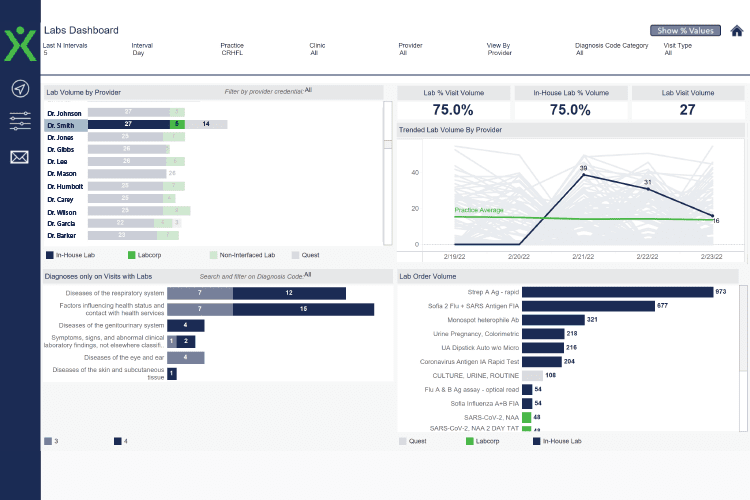
Experity is built specifically for urgent care. Not adapted. Not modified. Designed for it. That shows in how fast documentation moves and how clearly you can track patients through the visit lifecycle. If your centre handles high daily volume, the built-in patient tracking and visit-based templates can make your shift feel far more controlled.
2. Athenahealth
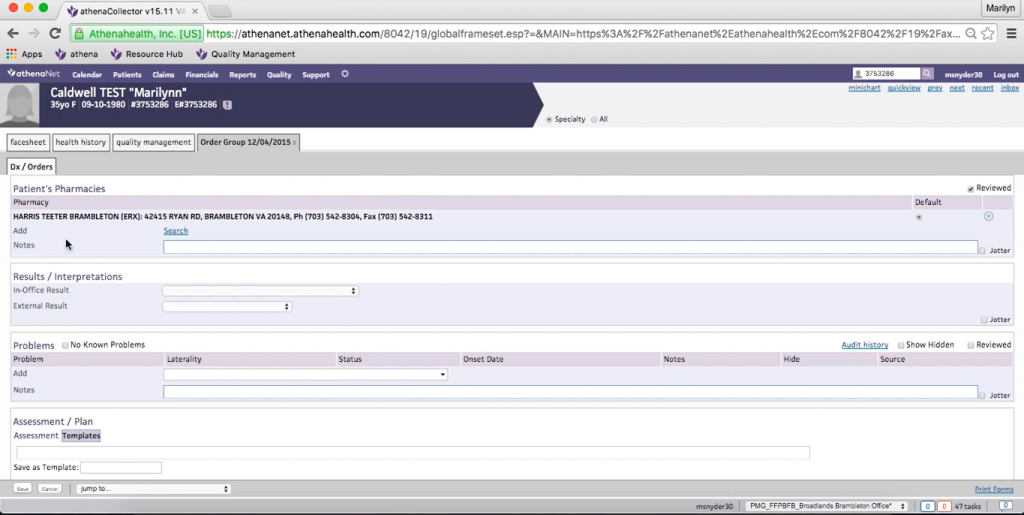
Athenahealth is often chosen when revenue predictability matters most to you. Its strong payer network and billing infrastructure reduce denials and smooth out reimbursement cycles. If your urgent care centre struggles more with claims than documentation, Athenahealth can stabilise the financial side. It also supports smart scheduling, documentation, and front desk workflows without adding complexity.
3. AdvancedMD
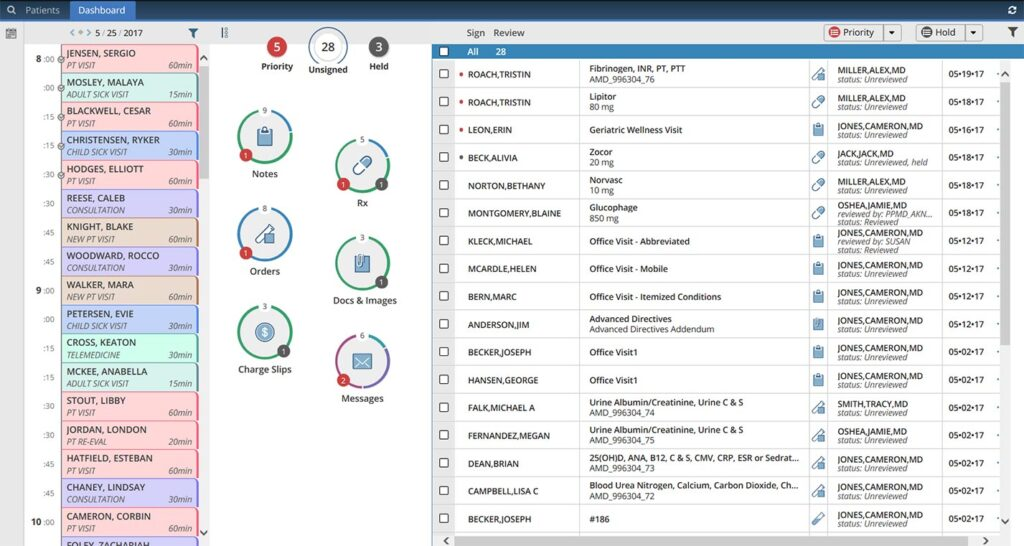
AdvancedMD works well if you want your system to adapt to how your urgent care actually operates. You can customise templates, workflows, and reporting without feeling boxed in. It’s especially helpful if your centre is growing or managing multiple providers.
4. DrChrono
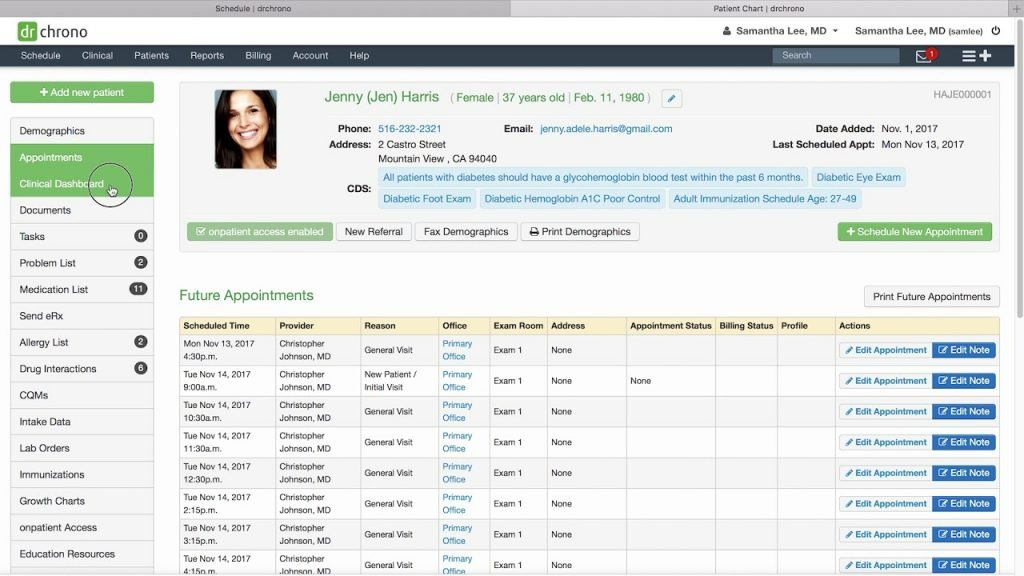
DrChrono is a favourite for teams that want something simple and easy to pick up. The interface feels clean and straightforward, which helps in fast-paced urgent care environments. It works smoothly across desktops, tablets, and mobile devices, so providers can document visits wherever they’re comfortable. Charting, scheduling, billing, and basic patient communication are all handled in one system. Many urgent care centres choose DrChrono because it’s flexible without feeling overwhelming.
5. eClinicalWorks
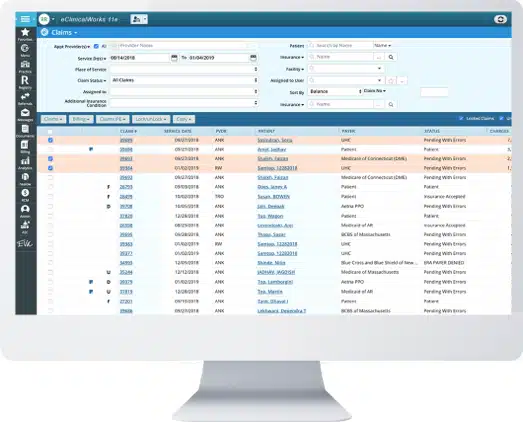
eClinicalWorks is often chosen when your urgent care centre plans to grow. Whether you’re adding providers or opening additional locations, the system supports expansion. It combines clinical documentation, billing, patient engagement, and analytics in one platform.
6. NextGen Healthcare
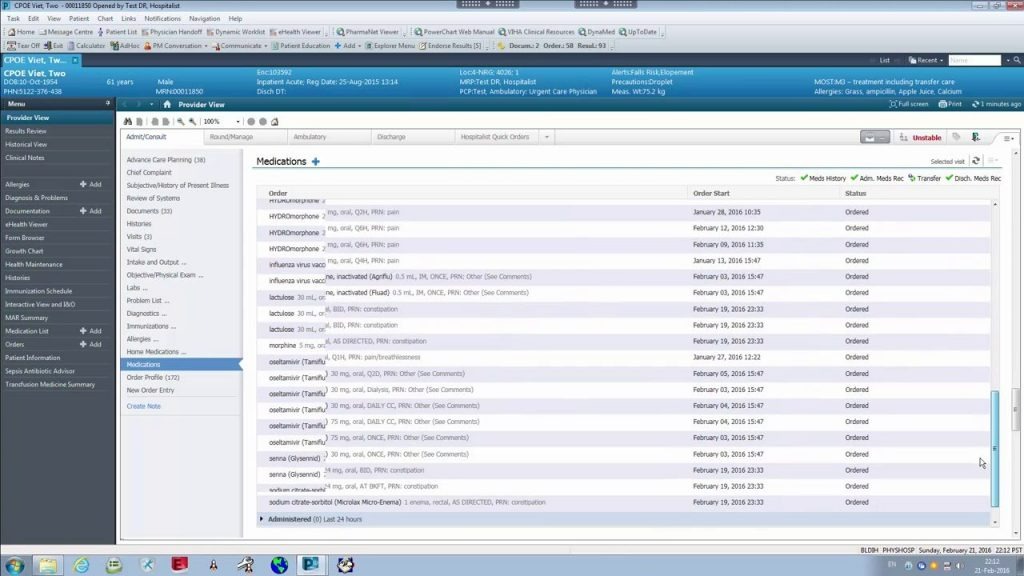
If your centre handles varied visit types, NextGen Healthcare gives you the flexibility to document care, manage prescriptions, and handle billing without feeling boxed in. You get strong reporting tools that help you understand patient flow and operational performance better. It also integrates well with labs, imaging providers, and digital patient engagement tools, which makes day-to-day coordination easier for your team.
7. Practice Fusion
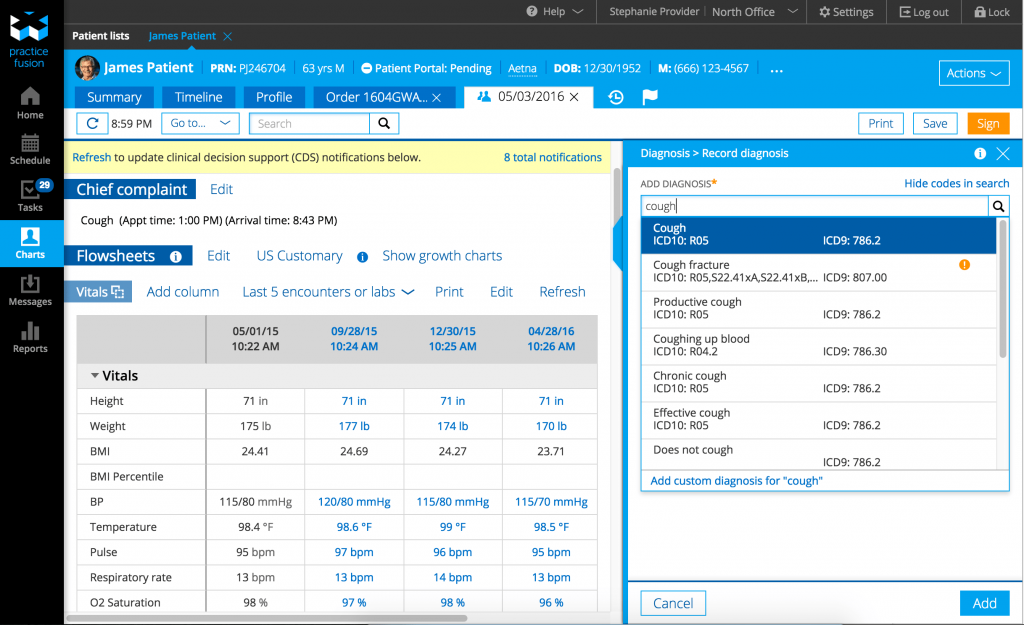
Practice Fusion is often considered if your urgent care centre is independently run and you want something simple to implement. It’s cloud-based and lightweight, so you can get started without a heavy onboarding process. If your priority is essential documentation and e-prescribing without complex enterprise tools, this may fit your needs.
How Emitrr Works Alongside Your Urgent Care EMR
Emitrr works alongside your urgent care EMR as a communication and workflow automation layer. It does not replace your urgent care EHR, clinical documentation, registration, or billing system. Instead, it helps urgent care teams manage high call volumes, patient communication, scheduling workflows, and follow-ups while keeping the existing EMR at the center of clinical operations.
AI Receptionist for High Call Volume
An AI receptionist can answer inbound calls, handle common level-1 requests, collect structured information, and transfer urgent or complex calls to staff. This can help urgent care EMR users reduce call pressure during busy periods and provide after-hours coverage where appropriate.
Deep EHR Schedule Sync and Chrome Extension
Where supported by the EHR integration, Emitrr can work with scheduling data and help staff manage communication and booking workflows. For web-based EHRs, a Chrome extension can allow staff to text or access communication workflows without constantly switching between applications.
Missed-Call to Auto-Text Workflows
When a patient calls and does not reach the team, an automated text can follow up quickly and provide a way for the patient to continue the conversation. This can help urgent care centers reduce voicemail backlogs and recover missed communication opportunities.
Custom IVR and AI Call Routing
Custom IVR and AI routing can identify routine requests and direct patients toward SMS, self-service options, or AI assistance while routing urgent or complex calls to the appropriate staff member.
Multi-Location Communication
Multi-location urgent care organizations can organize communication by site and route calls or messages to the appropriate location. A shared inbox can also give administrative teams a centralized view of conversations across locations.
Secure Links for Patient Information
Emitrr can provide secure links for appropriate patient information workflows, including documents or lab-related information where supported, helping practices avoid sending sensitive information through unsecured channels.
Fax and Document Workflows
Fax and document workflows can help urgent care teams manage incoming information more efficiently. AI summarization may also assist with reviewing documents where supported, but staff should verify AI-generated summaries before relying on them for patient care or administrative decisions.
Number Porting and 10DLC Support
Number porting can help urgent care organizations preserve an existing business number when moving communication workflows to Emitrr. 10DLC registration is generally required for application-to-person SMS messaging, and multi-location organizations should confirm how registration is handled across their locations.
Implementation Roadmap
Key Takeaways
- Urgent care EMR selection should be judged primarily on how well a system supports rapid, walk-in-first registration and complaint-driven documentation, not appointment-based workflows.
- API depth, specifically whether appointment or check-in creation is actually supported versus read-only access, is the most consequential integration detail for urgent care automation.
- Multi-site networks face added complexity around provider-on-call synchronization and, in some cases, consolidating multiple existing EHR organizations into one system.
- High call volume makes usage-based AI or call-handling pricing an important cost consideration that should be modeled against actual volume before committing.
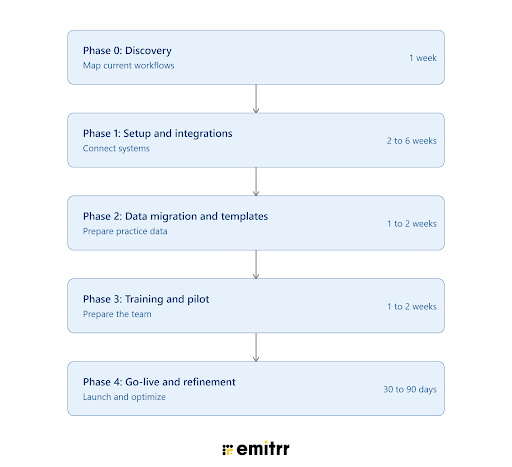
- Implementation for urgent care clinics has to account for extended or 24/7 staffing patterns, number porting, and 10DLC approval as real project dependencies, not incidental steps.
FAQs
The best EMR for urgent care clinics depends on patient volume, workflow requirements, integrations, reporting needs, and budget. Popular options include Experity, athenahealth, AdvancedMD, DrChrono, eClinicalWorks, NextGen Healthcare, and Practice Fusion.
The most important urgent care EMR software features include fast clinical documentation, patient registration, walk-in and appointment scheduling, e-prescribing, lab and imaging integrations, billing and RCM, interoperability, patient engagement, reporting, and mobile access.
The cost of urgent care EMR software varies based on the number of providers, locations, features, integrations, implementation requirements, and pricing model. Some vendors use subscription pricing, while others provide customized or modular pricing.
An urgent care EMR primarily manages patient records and clinical information within a practice, while an EHR is designed to support broader information sharing and coordination across healthcare organizations. The terms are often used interchangeably when discussing urgent care systems.
When comparing urgent care EMR systems, look for customizable documentation, efficient registration and scheduling, e-prescribing, lab and imaging integrations, revenue cycle management, reporting, interoperability, telemedicine, patient portals, and strong security controls.
Yes. Many modern urgent care EMR systems offer integrations with laboratories and imaging providers. These connections can help providers order tests, receive results, and review diagnostic information without manually transferring data between systems.
Yes. The right urgent care software can improve patient flow through digital registration, appointment scheduling, real-time patient tracking, streamlined documentation, and automated communication. These capabilities can help reduce administrative bottlenecks that contribute to longer wait times.
The best urgent care EMR for a multi-location organization should support centralized reporting, shared workflows, interoperability, location-based scheduling, user management, and scalable patient communication. eClinicalWorks, athenahealth, NextGen Healthcare, and Experity are options practices may consider based on their requirements.
Many urgent care EMR software platforms include patient portals, secure messaging, appointment reminders, and other engagement capabilities. Practices can also use communication platforms alongside their EMR for two-way texting, missed-call recovery, automated follow-ups, and additional outreach workflows.
The best urgent care EHR for a small clinic depends on the clinic's budget, patient volume, staffing, and required features. Smaller practices may prioritize ease of use, straightforward implementation, essential documentation, e-prescribing, scheduling, and billing over complex enterprise functionality.
Many urgent care EMR platforms are designed with healthcare privacy and security requirements in mind, but practices should verify each vendor's specific security controls, compliance documentation, access controls, encryption, audit capabilities, and business associate agreement before implementation.
Many modern EMR platforms for urgent care centers support or integrate with telemedicine. This can allow clinics to schedule virtual visits, document encounters, manage patient information, and coordinate care through connected workflows.
An urgent care EMR can connect clinical documentation with coding, claims, insurance verification, and revenue cycle workflows. This can reduce manual data entry, improve claim accuracy, and help practices identify billing and reimbursement issues more quickly.
Conclusion
The best EMR for urgent care should match the pace and operational demands of same-day care, from fast registration and complaint-driven documentation to walk-in scheduling, e-prescribing, diagnostics, billing, and patient communication. For growing or multi-location organizations, it is equally important to evaluate interoperability, API capabilities, location-based workflows, reporting, and the ability to manage high call volumes.
When comparing urgent care EMR systems, look beyond feature lists. Confirm how deeply each platform integrates with your existing workflows, whether appointment and check-in actions can be automated, how easily data moves between systems, and what implementation requirements such as number porting and 10DLC may apply.
Looking to reduce call volume and automate patient communication alongside your urgent care EMR? See how Emitrr can help with AI voice, two-way texting, missed-call recovery, reminders, and workflow automation. Book an Emitrr demo today.

 4.9 (400+
reviews)
4.9 (400+
reviews)