
Introduction
Conversational AI is quickly becoming the new front desk for modern businesses. Instead of long hold times and confusing phone trees, patients can simply say what they need. The system understands. It routes calls. It books appointments. It answers questions. It sends follow-ups. For healthcare clinics, law firms, home service companies, and other growing teams, that kind of support saves time and protects revenue.
Hyro AI is one of the well-known platforms in this space, especially for larger healthcare organizations. But it is not the only option. And it is not always the best fit for every business model. If you are exploring a Hyro AI alternative, you are likely looking for something more flexible, easier to manage, or better aligned with your workflows. So let’s dive straight into what Hyro AI offers, why teams look elsewhere, and which alternatives might make more sense for you.
AI summary
Searching for a practical Hyro AI alternative that actually fits your team? This guide gives you a clear, side-by-side look at the top 10 options for healthcare and growing service businesses. It covers what Hyro AI offers, where it may not work for everyone, and what features really matter when choosing a replacement. Each platform is reviewed with its features, pros, cons, pricing, integrations, and support details. You’ll also see why Emitrr stands out, which industries it serves beyond healthcare, and what to consider before making the switch.
What Is Hyro AI?
Hyro AI is a conversational AI platform built to automate voice and chat interactions for large organizations. It uses natural language processing to understand what callers or website visitors are asking and respond in real time. Instead of pressing buttons in a traditional IVR, people can simply speak naturally. Hyro AI can book appointments, answer common questions, verify information, and route conversations to the right team. It also connects with systems like Epic and Salesforce, so data stays synced without extra manual work.
Basically, Hyro AI turns your phone lines and digital channels into AI-powered assistants. It is especially known for strong healthcare integrations, high automation rates, and enterprise-level compliance. If you run a large operation, it can feel like a powerful engine running in the background.
Hyro AI Features
- Automated Scheduling: Connects with Epic and other EMRs to book, cancel, or reschedule appointments in real time during the conversation. No manual entry needed.
- Smart Call Routing: Listens to caller intent and routes them to the right department or workflow without traditional button-based IVR menus.
- Natural Language Chatbot: Handles FAQs on websites and apps using everyday language, not robotic scripts. Available 24/7.
- Virtual Voice Agent: Acts like a live agent on calls. Answers questions, collects information, and transfers to humans when required.
- Omnichannel Sync: Keeps phone, chat, and messaging conversations connected so teams see full context in one place.
- Analytics Dashboard: Tracks automation rates, call volumes, and conversation trends to help managers improve performance.
- Compliance and Security: Built with encryption and HIPAA-ready safeguards to protect sensitive healthcare data.
- AI Learning Engine: Improves over time by learning from real conversations and allows admins to fine-tune responses.
Hyro AI Pros
- Healthcare Focus: Designed specifically for hospitals and clinics, making workflows feel familiar and aligned.
- High Automation Rates: Handles a large percentage of routine calls without human involvement.
- Strong Integrations: Works smoothly with Epic, Salesforce, and other enterprise systems.
- Enterprise Scalability: Built to manage high call volumes across large networks.
- Positive Ratings: Receives strong user reviews for reliability and automation performance.
- Advanced NLP: Conversations feel natural and less robotic compared to traditional IVR systems.
Hyro AI Cons
- High Pricing: Enterprise-level costs make it difficult for smaller or mid-sized teams.
- Long Implementation: Setup can take time and may require technical support.
- Contract Lock In: Often comes with annual or multi-year agreements.
- Learning Curve: Advanced customization can feel complex for operations teams.
- Voice First Design: Primarily optimized for phone calls, with messaging playing a secondary role.
Hyro AI Integrations
- Epic EMR: Automates scheduling and patient lookups directly through Epic’s system.
- Salesforce CRM: Syncs conversation data and customer records automatically.
- Contact Center Platforms: Works alongside enterprise telephony systems as the AI front layer.
- Other Healthcare Tools: Connects with EHRs, billing systems, and appointment scheduling software via APIs.
Hyro AI Pricing
Hyro AI does not list public pricing, so you need to contact their sales team for a custom quote. Estimates suggest it starts around $10,000 per month, making it an enterprise-level solution.
Hyro AI Ratings
There are not many public ratings available for Hyro AI across major review platforms.
Hyro AI Reviews
There are also very limited detailed reviews available publicly.
Hyro AI Support Channels
- Dedicated Account Manager: Enterprise customers often get a named contact for ongoing coordination.
- 24/7 Technical Support: Email, ticket, and phone support are typically available for urgent issues.
- Customer Portal Access: Includes documentation, guides, and training resources.
- Structured Onboarding: Offers guided implementation and optional concierge-style setup support.
Why Businesses Look for a Hyro AI Alternative
Even with all that power, many companies look for a Hyro AI alternative. Here are the main reasons why:
Enterprise-heavy Pricing and Long Contracts
Hyro AI’s target customers are large enterprises. Its starting price is about $10K/month, and it often requires a year or more commitment. A small clinic or mid-market business may find this excessive. Teams may look for lower-cost options that allow monthly subscriptions or even pay-per-use models. In other words, if you don’t want to lock in a big spend or you need to start small, Hyro AI’s pricing can push you to look elsewhere.
Complex Setup and Longer Time to Value
Implementing Hyro AI can take months. You often need developers or Hyro AI consultants to map out conversation flows, integrate with your systems, and train the bot. This upfront effort delays getting benefits. For a fast-moving SMB, spending half a year to deploy a system may be too slow. Alternatives that promise “plug-and-play” or minimal code setup can be more appealing to growing businesses.
Limited Flexibility for SMB and Mid-Market Teams
Hyro AI’s platform is enterprise-grade, which can be both a strength and a weakness. Small operations may find it too rigid or complex. For example, Hyro AI assumes you have IT resources to integrate Epic or Salesforce. A local dentist practice or law firm might just need a simple AI that works with their existing phone service. They need flexibility (e.g. variable seat counts, no setup fees) that Hyro AI’s enterprise model doesn’t always offer.
AI Training and Intent Tuning Overhead
Conversational AI requires training data. With Hyro AI, you may need to provide FAQs, intents, and examples, then tune them. This can be a significant time sink. If your team changes rapidly or your call topics shift often (common in small businesses), spending time retraining could be a burden. Many alternatives have simpler training flows to reduce this overhead.
Voice-First Approach with Limited Omnichannel Depth
Hyro AI was originally built for voice calls and then expanded to other channels. This means its core strength is IVR and phone automation. For some businesses, voice is secondary. For example, salons or car services rely heavily on text (SMS/WhatsApp) or web chat software. These teams might find Hyro AI’s omnichannel features less advanced than dedicated chatbots or marketing automation tools. An ideal alternative might be one that truly offers both voice and robust messaging in equal measure.
Customisation Challenges for Fast-Changing Workflows
When your workflows change often, you need to update your automated scripts quickly. Big enterprise solutions can be slow to tweak. Some businesses find Hyro AI’s customization process slower or more technical than desired. Alternatives that allow business users to adjust flows or have more agile development cycles tend to be more attractive in dynamic environments.
Integration Effort with CRMs, EHRs, and Business Systems
Hyro AI integrates deeply with big systems like Epic and Salesforce, but connecting it to lesser-used or local tools (a small EMR, a custom CRM, or a unique booking system) may require custom work. Companies that use niche software sometimes struggle to connect to Hyro AI without extra development. They may look for alternatives that offer simpler integration methods (like Zapier or webhook-based connections) or built-in support for their specific tools.
Support Responsiveness and Ongoing Optimisation Costs
Large platforms like Hyro AI often have formal support processes. For smaller clients, this can mean slower responses or needing to wait for standard business hours. Also, keeping the AI sharp (retraining, analytics, etc.) can incur extra consulting costs over time. Some businesses prefer a provider known for highly responsive support or a community-driven model. If updates or minor fixes are slow with Hyro AI, companies may consider more user-friendly alternatives for day-to-day agility.

What To Look For In a Hyro AI Alternative
If you’re exploring other options, here are some of the key features and qualities you must consider:
Conversational AI for Voice and Messaging
Look for an alternative that handles both phone and messaging seamlessly. For example, it should have a true IVR or voice bot for calls, and at the same time support SMS, WhatsApp, or website chat with equal capabilities. This way, every customer gets consistent service whether they call in or text.
Omnichannel Communication Beyond IVR
The ideal platform covers every channel your customers use. IVR is one piece, but also check if it does live chat, email automation, social messaging, and even mobile app chat. Some alternatives offer unified or shared SMS inboxes where all customer chats, regardless of channel, are managed together. This omnichannel approach ensures no lead or patient falls through the cracks.
CRM, EHR, and Business System Integrations
Your alternative should play nicely with your tech stack. Check if it has native connectors to your key systems like CRM, EHR, or booking software. If not, does it support middleware like Zapier, API or webhook connections? The easier it is to tie conversations into your existing data so a customer’s call shows up on their record, the smoother your workflows.
Security, Compliance, and Encryption
Especially for healthcare and sensitive services, ensure the solution is HIPAA, SOC 2, or GDPR compliant as needed. Look for end-to-end encryption and clear data handling policies. Compare the security certifications of each alternative. Transparent information on encryption and privacy will give peace of mind that patient or customer data stays protected.
Faster Deployment with Minimal Technical Lift
Time-to-value matters. Weigh how quickly you can start using the system. Does it offer templates or pre-built workflows for common use cases like “schedule an appointment” or “text to pay”? Can non-technical users set it up via drag-and-drop? A faster deployment means you see ROI sooner. Many modern platforms boast being deployable in days or weeks, unlike the long timelines of enterprise solutions.
Analytics That Explain Conversations, Not Just Volumes
A basic contact center might only show how many calls you had. A strong AI platform will dig deeper. Look for conversation analytics that explain trends in user intent, sentiment, hang-ups, and transcript summaries. Some tools now offer conversation intelligence that highlights where the AI struggled or where callers dropped off. This insight helps you continuously improve your workflows.
Ease of Use for Operations and Customer Experience Teams
The people actually using the platform should find it intuitive. This means clear dashboards, easy builder interfaces, and strong documentation. Ideally, your office manager or call center supervisor, not just developers, should be able to tweak responses or set up new flows. Check if the interface feels modern and easy to use during demos or trials.
Workflow Automation and Intent-Based Routing
Beyond just answering questions, a good alternative will have workflow automation. This means it can handle complete multi-step tasks. For example, an AI call might authenticate a caller, update a record, send an email, and then close the loop without human touch. Also, look for intent-based routing: the AI routes calls or chats based on what the user says. If they say “billing issue,” it routes to the billing queue. If they say “book appointment,” it routes to scheduling. This intelligent routing reduces manual call transfers.
Support, Onboarding, and Long-term Scalability
Finally, consider the vendor’s service. Do they offer structured onboarding and training? Is 24/7 support available? Will you have a dedicated account manager? Also, think long-term. Can the platform scale as you grow, add locations, or expand into new languages? Knowing you have a partner who supports your growth makes a big difference.
Top 10 Hyro AI Alternatives
Here are 10 strong Hyro AI alternative platforms that help you manage calls, messages, automation, and patient/customer interactions more smoothly, without the enterprise stress or complexity.
Let’s explore each alternative in detail:
1. Emitrr | Best Hyro AI Alternative
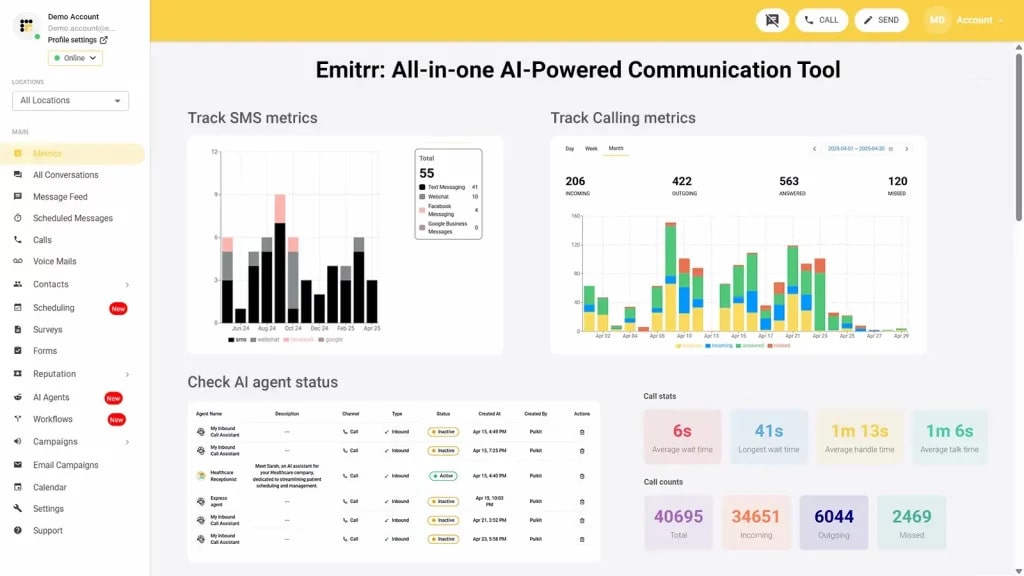
Emitrr is an automation and AI-powered communication platform built for small and medium-sized businesses. It combines AI call handling, business texting, reminders, workflows, and CRM integrations into one simple system. Unlike enterprise-heavy tools, Emitrr focuses on speed, usability, and practical workflows. If you want AI power without the complexity of large enterprise deployments, Emitrr is built for that.
Emitrr Features
- AI-Powered Call Handling: Uses voice recognition to answer, route, and manage calls automatically. It can collect details or escalate to a human instantly.
- Outbound Campaigns: Send bulk SMS or voice messages for promotions, alerts, or announcements.
- Online Scheduling: Embed booking links on your website with real-time calendar syncing.
- Reminders & Confirmations: Automated SMS and voice reminders help reduce no-shows.
- Business Texting & Web Chat: Unlimited team messaging and website chat that feed into the same inbox as calls.
- Digital Forms & Surveys: Send intake forms or feedback surveys via text or web and store responses automatically.
- Team Collaboration Tools: Internal notes, assignments, and shared inbox tools keep teams aligned.
Emitrr Pros
- All-in-One Platform: Replaces multiple tools, including phone systems, texting platforms, reminder software, and automation tools.
- AI + Human Hybrid: AI handles routine conversations while humans step in seamlessly when needed.
- Fast Setup: Most businesses go live within days rather than months.
- Transparent Pricing: Clear monthly plans with no hidden add-ons.
- Strong Integrations: Connects easily with CRMs, booking systems, and payment tools.
- No Lock-In Contracts: Flexible billing makes scaling simple.
Emitrr Cons
- There are a few additional AI-powered features that are still in development.
Emitrr Integrations
- Zapier Connector: Connects with 500+ apps, including Google Calendar, HubSpot, Salesforce, and more.
- Healthcare & Scheduling Tools: Works with Zenoti, Mindbody, Square, and selected EMRs.
- E-commerce Platforms: Integrates with Shopify and WooCommerce for order updates and cart reminders.
- Team Collaboration Tools: Connects with Slack and Microsoft Teams for internal alerts.
Emitrr Pricing
Plans start at $30 per month.
Emitrr Ratings
- Capterra: 4.9/5
- G2: 4.7/5
Emitrr Customer Reviews
“Emitrr is extremely easy to use. Our business has many segments that reach different customers, so it’s nice to be able to segment them out and send quickly.”
“Overall very positive. The service works like I need it to, the customer service is amazing, up-time is great, and changes made seem to be well thought out and well, not just changes for change sake.“
Source: Capterra
Emitrr Support Channels
- Email: support@emitrr.com
- Phone: +1 (210) 941-4696
- Live chat: Available directly on the Emitrr website
- Knowledge base: Includes extensive documentation, FAQs, and troubleshooting guides
- SMS support: Text for help
2. Talkdesk

Talkdesk is a cloud contact centre platform built for teams that manage high call volumes daily. While Hyro AI focuses strongly on conversational AI automation, Talkdesk wraps AI inside a full contact centre ecosystem. It is ideal for organisations that need structured routing, reporting, and agent management at scale.
Talkdesk Features
- Omnichannel support: Manage voice, chat, SMS, email, and social conversations from one central dashboard.
- Smart IVR system: Allow callers to speak naturally and get routed based on intent instead of pressing buttons.
- AI agent assist: Provide real-time suggestions and prompts to agents during live calls.
- Call recording and transcription: Automatically record and transcribe calls for compliance and training.
- Advanced call routing: Use skill-based routing and call queue management to direct calls efficiently.
- Workforce management tools: Forecast staffing needs and monitor agent performance.
- Real-time analytics: Track wait times, call volume, agent activity, and overall performance metrics.
Talkdesk Pros
- Built for scale: Handles large call volumes across multiple departments or locations.
- Strong routing capabilities: Ideal for businesses with complex workflows.
- Comprehensive reporting: Offers detailed dashboards for operational oversight.
- Reliable infrastructure: Designed for enterprise-level uptime and stability.
Talkdesk Cons
- Higher cost structure: Pricing increases quickly with additional seats and features.
- Complex setup process: Requires planning and configuration time.
- Steeper learning curve: The interface can feel overwhelming for smaller teams.
Talkdesk Integrations
- CRM integrations: Connects with major CRM systems for contextual customer data.
- Helpdesk platforms: Syncs with ticketing systems for streamlined workflows.
- Collaboration tools: Works with team communication apps.
- API support: Enables custom integrations for unique business needs.
Talkdesk Pricing
Talkdesk pricing starts at approximately $85 per user per month, with more advanced options available based on specific needs.
Talkdesk Ratings
- Capterra: 4.5/5
- G2: 4.3/5
Talkdesk Customer Reviews
“For the longest time, Talkdesk did not have apps for iOS nor Android, but now it appears that they do as of October 2019. Even still, you need to activate the app via a technical support request, which is not a very user-friendly way to handle things. The web-browser based version occasionally hangs (nonresponsive) and a page reload is required, even though we are using a modern computer and modern browser. We’ve also noticed that the company’s focus is shifting away from small customers and startups towards only enterprise customers, so the platform is not as easy to deploy or use for this segment as it was before.“
“Sometimes I have problems with the App so I have to use it through the website, or it is very slow and I cannot answer a call in time.“
Source: Capterra
Talkdesk Support Channels
- Phone
- Live chat
- Blogs, video tutorials and community forums
3. Cloudtalk
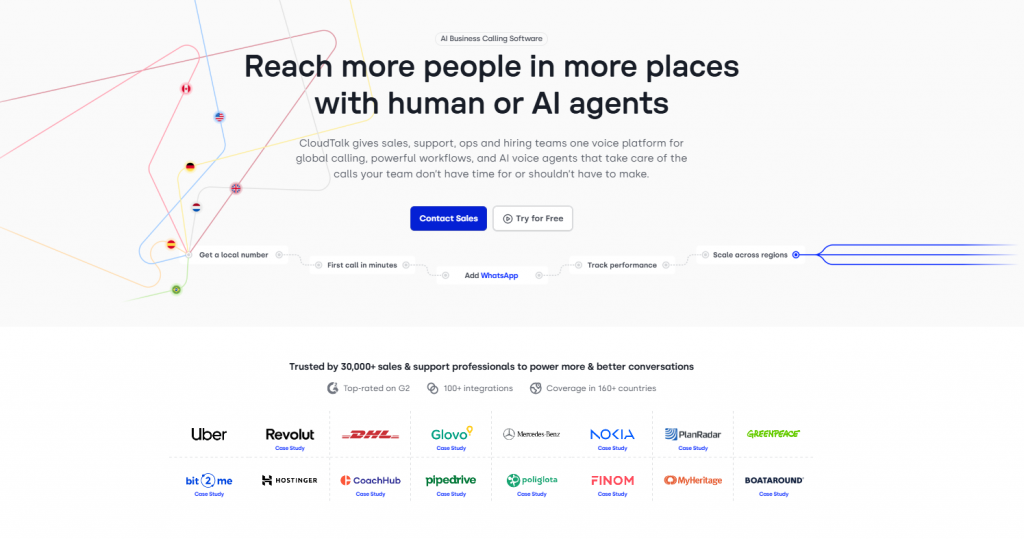
CloudTalk is a cloud-based business calling platform with AI voice agents built on top, designed for sales, support, and customer service teams that handle high call volumes day to day. While Hyro AI is built primarily around enterprise healthcare automation, CloudTalk serves growing SMBs and mid-market teams that want both inbound and outbound calling in one place, without enterprise-level pricing or months-long implementation cycles.
The platform combines a full cloud phone system with AI voice agents that handle routine inbound calls, qualify leads, run outbound follow-up campaigns, and stay available 24/7 to catch calls outside business hours. Beyond the AI layer, CloudTalk offers international numbers in 160+ countries, native CRM and helpdesk integrations, smart call routing, and real-time analytics. It fits revenue and support teams across SaaS, ecommerce, financial services, and professional services that need to scale calling capacity without expanding headcount.
CloudTalk Features
- AI voice agents: Handle inbound and outbound calls in natural conversation, covering FAQs, lead qualification, and follow-ups
- 24/7 call coverage: AI agents stay available outside business hours so missed calls become rare
- International numbers in 160+ countries: Local presence for outbound campaigns and inbound coverage worldwide
- Smart call routing: Direct callers based on intent, skill, or queue priority
- Call recordings and transcripts: Searchable conversation records for QA, training, and compliance review
- Real-time analytics dashboard: Tracks call volumes, agent activity, and outbound campaign performance
- Power dialer and outbound campaigns: Automate sequential outbound calling for sales, renewals, and reminders
CloudTalk Pros
- Inbound and outbound in one platform: Single workflow for both reactive support and proactive outreach
- Fast setup: Most teams go live in days, far shorter than a typical Hyro AI deployment cycle
- Native CRM and helpdesk integrations: Works out of the box with mainstream sales and support stacks
- Transparent monthly pricing: Clear per-user plans without enterprise-style custom quotes
CloudTalk Cons
- Healthcare-specific compliance is limited: HIPAA-aligned workflows need extra configuration compared to healthcare-native tools
- AI voice agents are a newer addition: Voice-first AI platforms may offer deeper conversational tuning at this stage
- Best for SMB to mid-market: Very large enterprise contact centers may need a more specialized platform
CloudTalk Integrations
- CRMs: Salesforce, HubSpot, Pipedrive, Zoho, and Microsoft Dynamics
- Helpdesks: Zendesk, Intercom, Freshdesk, and Help Scout
- Productivity and automation: Slack, Zapier, Make, and Google Workspace
- API and webhooks: Custom integrations for niche or in-house systems
CloudTalk Pricing
CloudTalk pricing plans start at approximately $25 per user per month, with AI voice agent features available on higher tiers.
CloudTalk Ratings
- Capterra: 4.4/5
4. Dialpad
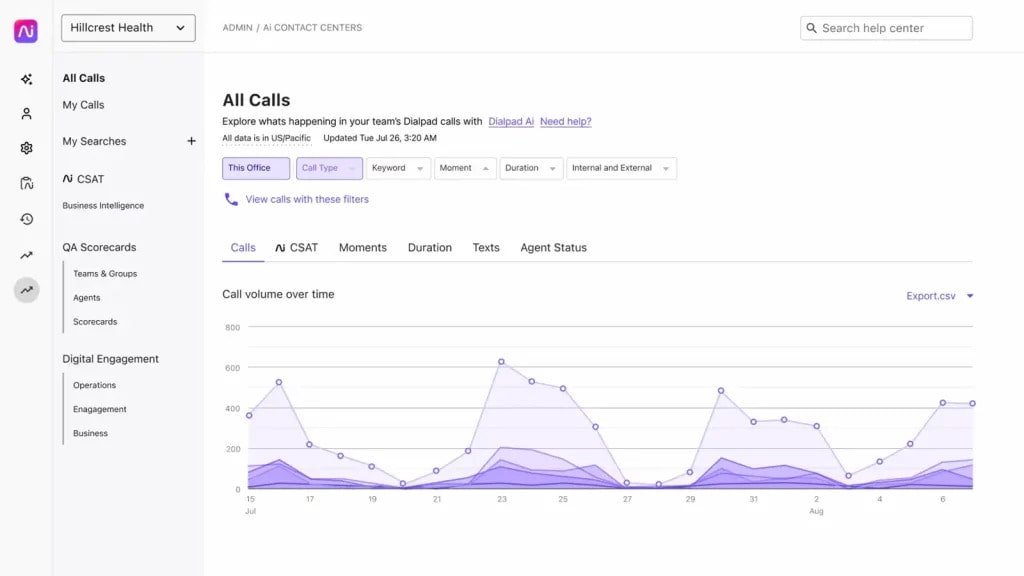
Dialpad is a modern cloud communications platform that blends business calling with a built-in AI voice chatbot. Unlike Hyro AI, which centres around conversational automation, Dialpad focuses on improving live conversations with AI insights. It is popular with teams that want smart calling features without full contact centre complexity.
Dialpad Features
- Cloud phone system: Make and receive business calls from desktop or mobile apps.
- Live call transcription: Automatically transcribes calls in real time.
- AI call summaries: Generates post-call summaries with action items.
- Basic IVR routing: Set up simple call menus and routing flows.
- Team messaging: Includes built-in internal chat and collaboration tools.
- Voice intelligence insights: Tracks sentiment and keyword trends.
- CRM integrations: Logs calls and notes directly into connected systems.
Dialpad Pros
- Simple setup: Quick to deploy without heavy configuration.
- Modern interface: Clean dashboard that feels intuitive.
- Strong AI transcription: Helpful for training and documentation.
- Flexible pricing tiers: More accessible for mid-sized teams.
Dialpad Cons
- Limited advanced IVR: Not ideal for highly complex call trees.
- Basic workforce tools: Lacks deep contact centre forecasting features.
- Less automation depth: Focuses more on assisting agents than replacing them.
Dialpad Integrations
- CRM platforms: Connects with major CRM systems.
- Collaboration tools: Works with team communication apps.
- Authentication tools: Supports single sign-on providers.
- App marketplace: Offers additional integrations via add-ons.
Dialpad Pricing
Dialpad pricing starts at $27 per user per month for the basic plan, with higher tiers offering additional features such as advanced analytics and integrations.
Dialpad Ratings
- Capterra: 4.4/5
- G2: 4.3/5
Dialpad Customer Reviews
“This is even more frustrating in cases where I’ve been waiting on hold for a long time, only to be connected, and for the other person to not be able to hear me.“
“It is all a scam. I don’t like the way they use deceptive tactics to trick new customers into contracts.“
Source: Capterra
Dialpad Support Channels
- Phone
- Chat
- Help centre (guides and videos)
Curious about Dialpad and whether it fits your business needs? Watch our video for a detailed look:
5. Ada
Ada is a conversational AI platform primarily known for chat automation. While Hyro AI has strong voice-first capabilities, Ada built its reputation on intelligent chatbots that reduce support tickets and handle large volumes of repetitive queries. It is often chosen by enterprises that want scalable self-service across digital channels.
Ada Features
- No-code bot builder: Design chatbot flows using a visual drag-and-drop interface.
- Generative AI responses: Uses large language models to create natural, human-like replies.
- Omnichannel deployment: Works across website chat, WhatsApp, Messenger, and voice integrations.
- Live agent handoff: Seamlessly transfers conversations to human agents when needed.
- Prebuilt industry templates: Ready-made workflows for common use cases.
- Conversation analytics: Tracks resolution rates, deflection metrics, and user satisfaction.
- Multilingual support: Easily deploy bots in multiple languages.
Ada Pros
- Fast deployment: Can go live quickly using pre-trained templates.
- High self-service rates: Reduces repetitive support queries significantly.
- Enterprise compliance: Designed to meet strict security standards.
- Strong chat experience: Particularly polished for digital channels.
Ada Cons
- Voice is secondary: Not as voice-focused as Hyro AI or Replicant.
- Custom pricing model: Costs depend on usage volume.
- Enterprise orientation: May feel heavy for small teams.
Ada Integrations
- CRM systems: Connects with major CRM and ticketing platforms.
- Voice platforms: Integrates with cloud telephony providers.
- Messaging channels: Supports WhatsApp and social messaging apps.
- API support: Allows custom integrations where needed.
Ada Pricing
Pricing depends on conversation volume and features.
Ada Ratings
- Capterra: 4.7/5
- G2: 4.6/5
Ada Customer Reviews
“I think there’s probably opportunity for improvement on reporting on the categorization of the volume. I think the ability to import a set of topics or tags or issue types from a variety of other platforms into Ada, and have the Ada experience try and mirror those preexisting categories, would be a good place to start rather than kind of doing it from scratch.“
“I find the process of training multiple bots individually quite cumbersome. Synchronizing training across different bots would significantly streamline our operations and save time.“
Source: G2
Ada Support Channels
- Phone
- Live chat
- Online help center
- Training resources
6. Kore.ai
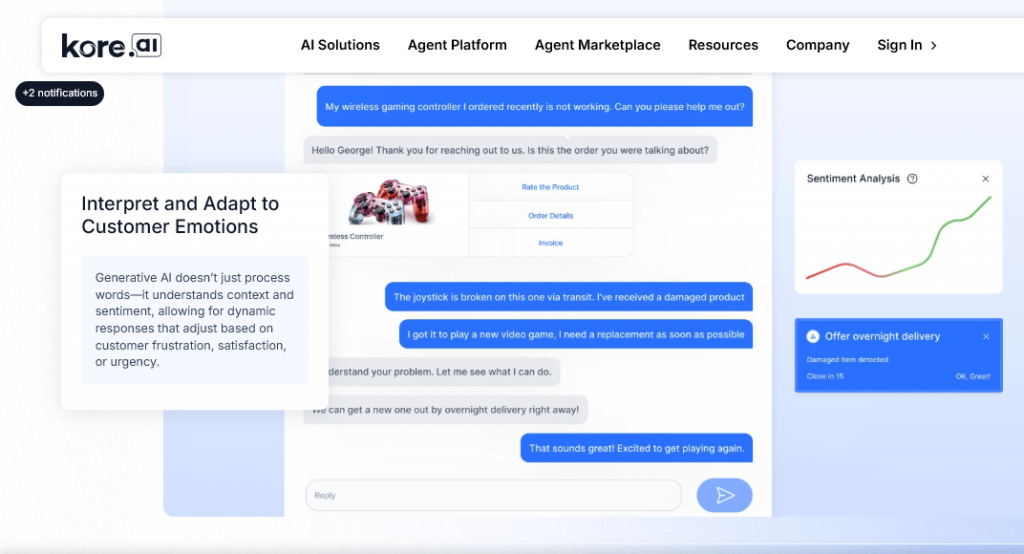
Kore.ai is an enterprise conversational AI platform built for large organisations that need both customer-facing and internal automation. Compared to Hyro AI, Kore.ai offers broader enterprise AI use cases beyond healthcare, including HR, banking, and IT automation.
Kore.ai Features
- Visual bot builder: Create voice and chat bots using a guided interface.
- Multichannel deployment: Launch across web, mobile apps, voice systems, and messaging platforms.
- Prebuilt industry bots: Ready-made frameworks for specific sectors.
- AI voice assistant: Automates inbound and outbound call tasks.
- Advanced analytics dashboard: Tracks intent accuracy and conversation outcomes.
- Knowledge management tools: Maintains structured knowledge bases for responses.
- Enterprise security controls: Built for compliance-heavy environments.
Kore.ai Pros
- Enterprise scalability: Suitable for global deployments.
- Wide integration library: Connects with many enterprise systems.
- Strong automation depth: Handles complex workflows.
- Comprehensive training resources: Offers structured onboarding support.
Kore.ai Cons
- Steep learning curve: Advanced capabilities require training.
- Enterprise pricing: Typically expensive and contract-based.
- Overkill for SMBs: Best suited for large-scale organisations.
Kore.ai Integrations
- CRM and ERP systems: Syncs with major enterprise platforms.
- Cloud AI providers: Connects with leading AI infrastructure tools.
- Messaging apps: Supports WhatsApp, Slack, and similar platforms.
- Custom APIs: Enables tailored integrations.
Kore.ai Pricing
Plans start at around $500 per month, per user. Prices could scale with usage and complexity.
Kore.ai Ratings
- Capterra: 4.4/5
- G2: 4.3/5
Kore.ai Customer Reviews
“Post asking for any enhancement team will take months to fulfill the requirement which spoil the overall experience as well as the customer experience too“
“Integration configurations can be very messy and impactful on CX e.g. disconnection of chats between Kore and Zendesk – Kore Team can improve further on their familiarization with integration to ticketing platforms.“
Source: Capterra
Kore.ai Support Channels
- Phone
- Live chat
- Online help center
- Training resources
7. Replicant
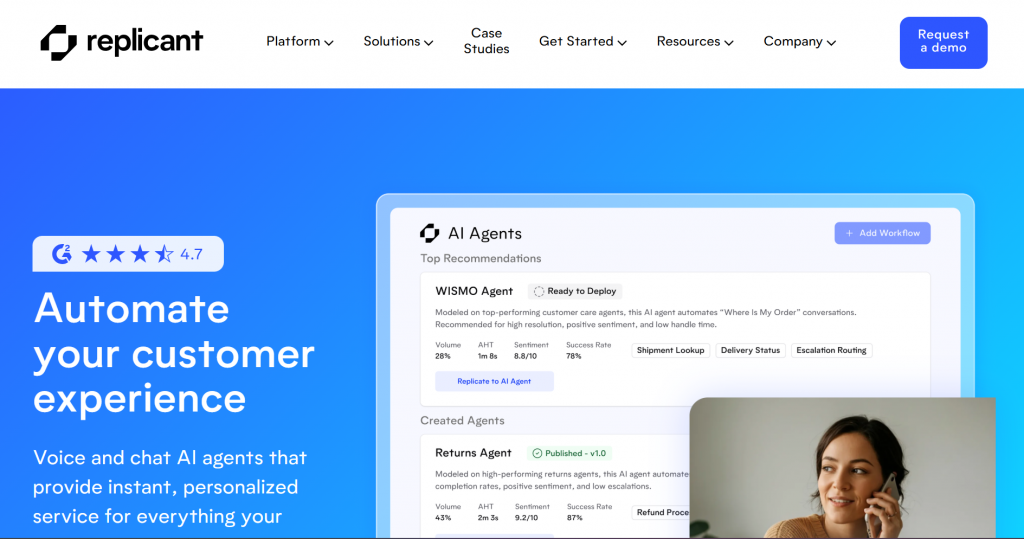
Replicant is a voice-first conversational AI platform built specifically to automate entire phone calls. While Hyro AI focuses on enterprise healthcare automation, Replicant positions itself as a fully autonomous voice agent that can replace routine call center tasks end-to-end.
Replicant Features
- Autonomous voice agent: Handles full phone conversations without human intervention.
- Intent recognition engine: Understands caller requests and follows structured workflows.
- Outbound call automation: Runs reminder calls, SMS surveys, and payment collections automatically.
- Entity extraction: Captures names, dates, and key details directly from conversations.
- Call transcription: Converts calls into searchable text records.
- Custom workflow builder: Design structured call flows for different scenarios.
- Analytics dashboard: Tracks automation rates, completion metrics, and call insights.
Replicant Pros
- Deep voice automation: Designed specifically for handling high call volumes.
- Strong accuracy rates: Manages multi-step conversations effectively.
- Fast call deflection: Reduces pressure on live agents quickly.
- Integrates with existing contact centers: Works alongside established systems.
Replicant Cons
- Voice-heavy focus: Less emphasis on chat-first use cases.
- Usage-based pricing: Costs scale with minutes and interactions.
- Custom implementation required: Workflow adjustments may need specialist support.
Replicant Integrations
- Contact center platforms: Connects with major CCaaS providers.
- CRM systems: Syncs call data to customer records.
- API connections: Allows integration with enterprise systems.
Replicant Pricing
It’s a pay-per-interaction or conversation-minute model which scales with volume.
Replicant Ratings
- Capterra: 4.7/5
- G2: 4.6/5
Replicant Customer Reviews
“Overally I am satisfied with this platform. Here, I mention a couple of shortages that can be improved. Some customers may prefer to speak with human agents instead of using a chatbot or an automated system. This feature is not supported in the platform. Replicant only offers support for a limited number of languages, which may be a drawback for businesses that frequently interact with customers in various languages.”
Source: Capterra
Replicant Support Channels
- Phone
- Live chat
- Online help center
- Training resources
8. Yellow.ai
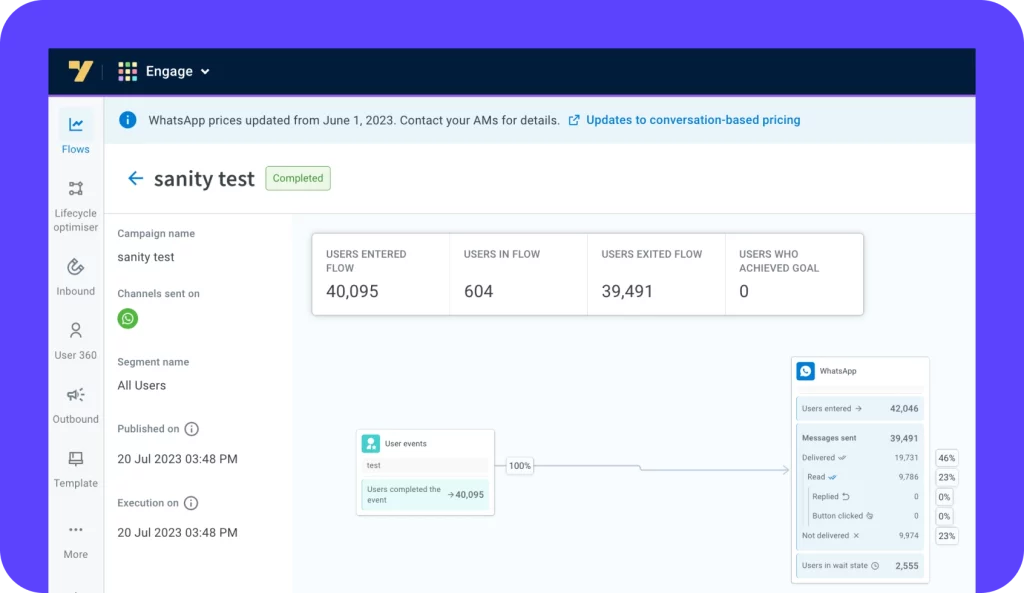
Yellow.ai is a global conversational AI platform built for large enterprises that need chat and voice automation across multiple languages and channels. Compared to Hyro AI, Yellow.ai positions itself as a broader AI customer experience suite rather than a healthcare-specific platform.
Yellow.ai Features
- Generative AI agents: Uses large language models to deliver natural conversations.
- Voice and chat automation: Supports both phone-based and digital interactions.
- Visual bot builder: Create and test conversation flows through an intuitive interface.
- Sentiment detection: Identifies customer emotion during interactions.
- Omnichannel inbox: Manages conversations from web, messaging apps, and voice.
- Analytics hub: Tracks performance, engagement, and automation success.
Yellow.ai Pros
- True omnichannel reach: Covers voice, chat, and social platforms.
- Global scalability: Designed for large international deployments.
- Advanced AI capabilities: Built around generative AI frameworks.
- Enterprise-grade compliance: Suitable for regulated industries.
Yellow.ai Cons
- Enterprise pricing structure: Typically expensive for smaller businesses.
- Customization effort: Complex flows may require expert assistance.
- Heavy feature set: May be more than what SMBs require.
Yellow.ai Integrations
- CRM platforms: Connects with leading customer management tools.
- Messaging apps: Integrates with WhatsApp and social channels.
- Voice platforms: Works with major cloud telephony providers.
- API ecosystem: Enables custom system integrations.
Yellow.ai Pricing
No transparent public pricing. The costs depend on usage and deployment scale.
Yellow.ai Ratings
- Capterra: 4.5/5
- G2: 4.4/5
Yellow.ai Customer Reviews
“Some configurations would need tech background e.g. integration to Zendesk”
“The product doesn’t provide ease of new journey creation or editing existing journeys. For any change in journey or communication it requires additional tech effort.”
Source: Capterra
Yellow.ai Support Channels
- Phone
- Live chat
- Online help center
- Training resources
9. Cognigy
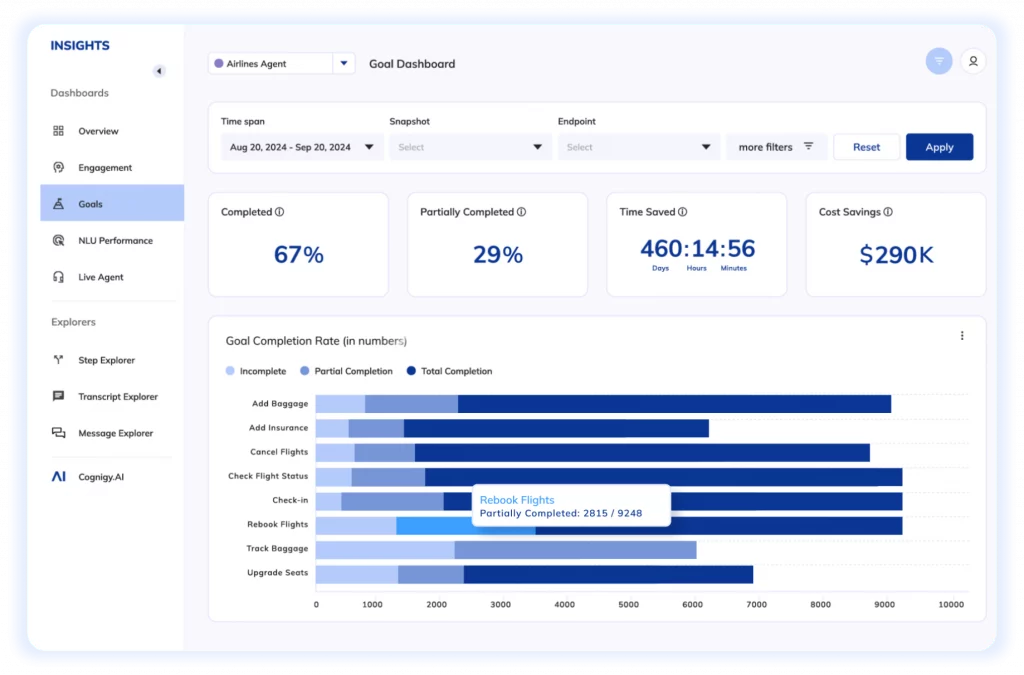
Cognigy is an enterprise conversational AI platform designed for large organisations that need advanced voice and chatbot automation. Compared to Hyro AI, Cognigy focuses heavily on blending generative AI with structured conversational workflows across industries.
Cognigy Features
- Generative AI orchestration: Combines large language models with rule-based automation for precise responses.
- Voice gateway: Connects AI agents directly to telephony systems for inbound and outbound calls.
- Knowledge integration: Connects bots to company knowledge bases and FAQs.
- Multichannel deployment: Supports web chat, mobile apps, messaging platforms, and voice.
- Enterprise security controls: Includes governance, encryption software, and compliance frameworks.
Cognigy Pros
- Highly customizable: Supports complex enterprise workflows.
- Developer-friendly options: Allows advanced scripting when needed.
- Scalable infrastructure: Handles large deployments across regions.
- Strong AI flexibility: Supports multiple language models.
Cognigy Cons
- Steep learning curve: Advanced features require technical knowledge.
- High enterprise pricing: Not suited for small teams.
- Longer deployment cycles: Setup may require structured onboarding.
Cognigy Integrations
- CRM systems: Syncs with major enterprise CRMs.
- Telephony providers: Connects via SIP and voice APIs.
- Messaging platforms: Supports WhatsApp, Slack, and other digital channels.
- Enterprise data systems: Integrates with databases and backend tools.
Cognigy Pricing
Plans start at about $2500 per month per user. No free trial available.
Cognigy Ratings
- Capterra: 4.7/5
- G2: 4.6/5
Cognigy Customer Reviews
“Would be good to see more emphasis on a desktop app as well as the web based solution.”
“Cognigy offers a wide variety of features, not all of which are easily accessible. At this point in time, parts of the documentation are rather hard to find. I also found certain examples in the documentation to be inexplicit at times.”
Source: Capterra
Cognigy Support Channels
- Phone
- Live chat
- Online help center
- Training resources
10. Tidio

Tidio is a lightweight customer communication platform focused mainly on chat, email, and AI-powered website support. While Hyro AI focuses on voice automation and enterprise workflows, Tidio is built for small and medium businesses that need fast, simple digital communication tools.
Tidio Features
- Live chat widget: Add website chat instantly with no complex setup.
- AI chat assistant: Uses AI to answer common questions automatically.
- Multichannel inbox: Manages website chat, email, and social messages together.
- Chatbot builder: Create rule-based flows without coding.
- Mobile app access: Respond to customers from anywhere.
- Basic analytics dashboard: Track chat performance and response times.
Tidio Pros
- Very easy setup: Launch within minutes.
- Affordable plans: Budget-friendly for small teams.
- Built-in AI included: No need for complex add-ons.
- Clean interface: Simple and modern design.
Tidio Cons
- No voice automation: Does not support phone calls.
- Limited advanced workflows: Not built for complex routing.
- SMB-focused feature set: May not scale for large enterprises.
Tidio Integrations
- E-commerce platforms: Connects with major online stores.
- Messaging channels: Syncs with social media messaging apps.
- Email providers: Links business email accounts.
- Zapier integration: Connects to thousands of other apps.
Tidio Pricing
Plans start at $29/month for basic automation.
Tidio Ratings
- Capterra: 4.7/5
- G2: 4.6/5
Tidio Customer Reviews
“I least like never getting a response from the support team. I can’t even tell if this is a good app on not.”
“If you exceed the included 100 interactions, you’ll need to pay an additional fee for the chat widget (bot) to continue automatically engaging with customers. Otherwise, your chat will simply serve as a decorative element on your website.”
Source: Capterra
Tidio Support Channels
- Email Support
- Live Chat Support
- Tidio Help Center and Blog
Why Emitrr Is a Strong Hyro AI Alternative
If you want powerful AI without the heavy enterprise baggage, Emitrr makes a strong case right away. Here’s why:
AI-powered call handling without enterprise complexity
Emitrr offers AI call assistants, answer bots, and speech recognition to automate routine calls, but without the heavy setup. You do not need a complicated IVR buildout or outside consultants. Most workflows can be activated in a few clicks or during onboarding. Unlike other alternatives, which often requires specialist configuration, Emitrr is designed so business users can manage it themselves. That means faster launch and less technical overhead.
Voice, SMS, and automation in one unified inbox
Emitrr brings calls, texts, and team communication into one dashboard. Whether a customer calls or sends an SMS, everything shows up in the same place. Your team can respond without switching tools. This unified inbox approach feels far more streamlined than using separate voice and messaging systems. It keeps conversations organized and nothing gets missed.
Faster setup for real-world business workflows
Emitrr includes ready-to-use templates for common service workflows like appointment reminders or new customer follow-ups. You do not have to build every automation from scratch. While Hyro AI deployments can take months, Emitrr focuses on getting teams live in days or weeks. The goal is simple. Turn on automation quickly and start seeing results fast.
Smarter intent routing for customer and patient calls
Emitrr uses intent detection to route calls intelligently. If someone says “urgent,” it can prioritize that call. If they say “book” or “cancel,” it triggers the correct automated flow. This keeps emergencies moving quickly while routine requests are handled automatically. Like Hyro AI, it understands intent, but Emitrr packages it in a simpler, easier-to-manage setup.
Built-in follow-ups, reminders, and outbound messaging
Emitrr goes beyond answering calls. After a conversation, it can automatically send confirmations, reminders, or digital forms via SMS or email. If a follow-up is needed, it flags it for your team. Everything happens inside one connected workflow. Hyro AI offers similar automation, but Emitrr includes these features without requiring separate modules or complex add-ons.
Integrations that keep conversations tied to records
Emitrr connects with CRMs and EMRs using native integrations and tools like Zapier. Calls and messages automatically update customer or patient records. Your team always sees the full conversation history in context. Emitrr makes connections quick and straightforward. You can add or adjust integrations without major development work.
Real-time visibility into AI and human conversations
Emitrr shows live dashboards with AI-handled calls versus human answered calls, patient wait times, and flagged issues. If a human jumps in, they can see exactly what the AI already did. Managers get instant clarity into performance. It may not be as enterprise complex as Hyro AI’s analytics console, but it covers what most growing teams actually need.
Scales easily from SMBs to multi-location businesses
Emitrr grows with you. Start with one number, then add users, lines, or locations as needed. Multi-location businesses can centralize or segment inboxes without rebuilding workflows. Unlike Hyro AI’s enterprise contract structures, Emitrr adjusts smoothly as your business expands. There are no sudden jumps or rigid thresholds.
Transparent pricing without long-term lock-ins
Emitrr offers clear, public pricing with predictable monthly costs. There are no hidden per-call fees or long-term contracts. You can upgrade, downgrade, or cancel as needed. In contrast, Hyro AI typically requires custom quotes and longer commitments. Emitrr keeps budgeting simple and flexible.
Hands-on onboarding and responsive support
Emitrr emphasizes real human support during onboarding and beyond. You get guided setup, help connecting systems, and fast responses via live chat. Many customers mention how quickly questions get answered. Emitrr focuses on staying close and accessible to growing businesses.
Which Industries Beyond Healthcare Does Emitrr Cater to?
Emitrr is not just for healthcare. It works anywhere customers call, text, book appointments, or ask questions. If your business runs on conversations and scheduling, Emitrr likely fits. It is especially strong for multi-location service businesses. Let’s look at a few examples:
Wellness and Aesthetics
Spas, med spas, and cosmetic clinics rely heavily on bookings and reminders. Emitrr automates appointment confirmations, sends reminder texts, and handles after-hours inquiries. It can even collect pre-visit forms through SMS before treatments. If someone calls when the front desk is closed, the AI captures details and queues it for follow-up. Website chat can answer common questions instantly without hiring extra staff.
Legal and Financial Services
Law firms and accounting offices deal with constant calls and calendar juggling. Emitrr can qualify leads before an attorney or advisor gets involved. It handles reschedules, appointment confirmations, and routine billing questions automatically. Messages from calls, texts, and emails land in one inbox, so nothing gets lost. For small teams, especially, that organization makes a big difference.
Real Estate and Property Management
Agents and property managers juggle tours, tenant requests, and maintenance issues daily. Emitrr can book showing appointments automatically and confirm them via text. It can collect maintenance details and route them to the right person. Website chat can qualify leads before passing them to agents. Everything stays logged against the property or client record for easy follow-up.
Education and Training Institutions
Schools, tutoring centers, and coaching programs communicate constantly with students and parents. Emitrr answers common questions instantly through chat or SMS. It can schedule campus tours or demo sessions over the phone. Automated reminders reduce no-shows. All communication ties back to student records, so administrators see everything in one place.
Automotive Sales and Service
Dealerships and repair shops handle both sales inquiries and service bookings. Emitrr routes calls based on intent, so sales and service teams stay separate. It can book service appointments and send reminders automatically. Website chat can answer inventory questions and collect leads 24/7. Customers can even text photos for estimates, keeping the entire conversation in one thread.
Home and Field Services
HVAC, plumbing, cleaning, and pest control companies need fast responses. Emitrr answers pricing questions, schedules technicians, and sends confirmations instantly. The AI can ask diagnostic questions before booking appointments. Field teams can update customers via text once jobs are complete. It keeps dispatch smooth and communication clear.
Multi-location and Service-based Businesses
Franchises and multi-branch companies benefit from centralized visibility. Each location can have its own number and inbox, while managers oversee performance across all sites. Adding a new location does not require rebuilding your system. Pricing scales per location, so growth feels predictable. It is built for businesses that plan to expand.
Key Takeaways
- Hyro AI Is Enterprise-Focused: It is powerful, especially for healthcare, but mainly built for large organizations with bigger budgets.
- Top Alternatives Vary by Need: Emitrr is great for growing service businesses, Talkdesk and Five9 fit large enterprises, Dialpad blends a communications suite with AI, while Ada and Yellow.ai focus heavily on chatbot automation.
- Emitrr Stands Out for SMBs: It combines AI call handling, SMS automation, a unified inbox, and transparent pricing without enterprise overhead.
- Cost and Complexity Matter: Many teams explore a Hyro AI alternative because of pricing, long contracts, and longer setup timelines.
- Voice + Messaging Is Essential: The strongest alternatives combine phone, SMS, and chat instead of focusing on just one channel.
- Ease of Setup Wins: Growing businesses need something they can launch quickly, not a six-month implementation.
- Integrations Are Critical: Your AI platform should connect smoothly with CRMs, EHRs, and booking tools to keep workflows intact.
- Support and Simplicity Matter: Responsive onboarding and easy day-to-day management often matter more than flashy enterprise features.
At the end of the day, choosing a Hyro AI alternative comes down to fit. The right platform should match your workflow, your budget, and your growth plans without adding unnecessary complexity!
FAQs
Yes, and that is one of its biggest strengths. The AI handles routine questions first, then smoothly hands the conversation to a human if needed. The customer never has to repeat themselves.
Absolutely! Platforms like Emitrr, Talkdesk, Five9, and Dialpad support both calls and messaging. Emitrr, in particular, keeps voice and SMS inside one unified inbox.
It is usually pretty simple. Emitrr integrates with most common CRMs and systems, and the onboarding team helps rebuild workflows quickly. Most teams adapt fast because the interface is simple.
Yes. Most leading platforms, including Emitrr, and others listed, support encryption and compliance standards like HIPAA and SOC 2. And you can always confirm based on your industry needs.
If you want high call volume support plus strong SMS automation and simpler management, Emitrr is a balanced and practical Hyro AI alternative for growing and multi-location clinics.
Focus on what you truly need. Is it Voice automation? Messaging? CRM integration? Also prioritize ease of setup and flexible pricing so you do not overcommit too early.

 4.9 (400+
reviews)
4.9 (400+
reviews)